

Overview
ReelPik lets you import videos from multiple sources, so you can easily bring your existing content into the app and use it in your shoppable video campaigns.
You can import videos from Instagram or TikTok, your device, or Shopify Files.
Import from Instagram or TikTok
You can import your existing content from Instagram or TikTok directly into ReelPik.
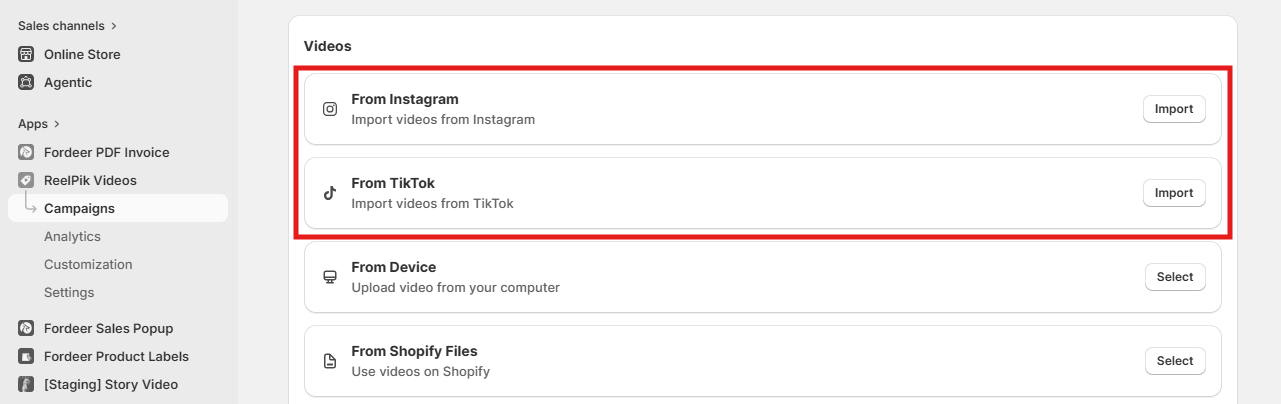
Step 1: Choose Instagram or TikTok
From the Videos section, select:
-
From Instagram → click Import
-
From TikTok → click Import
Step 2: Search and Fetch videos
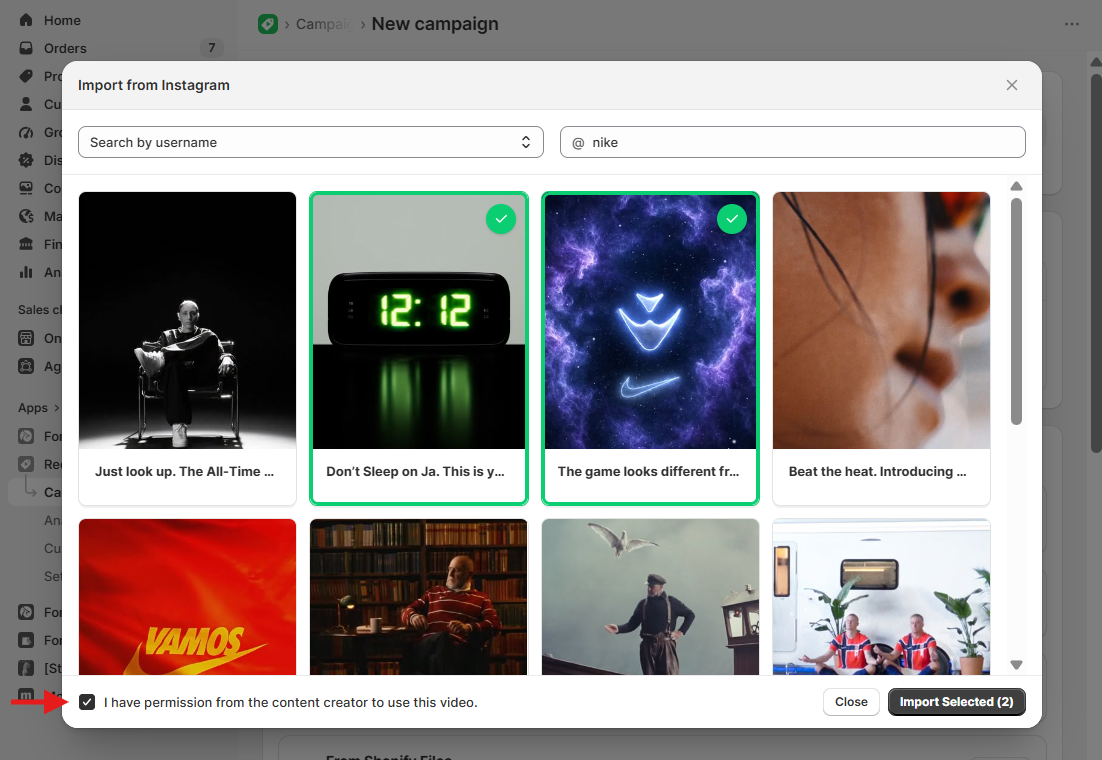
- Option 1: Search by username (or by URLs): Enter the username of the Instagram or TikTok account you want to import videos from.
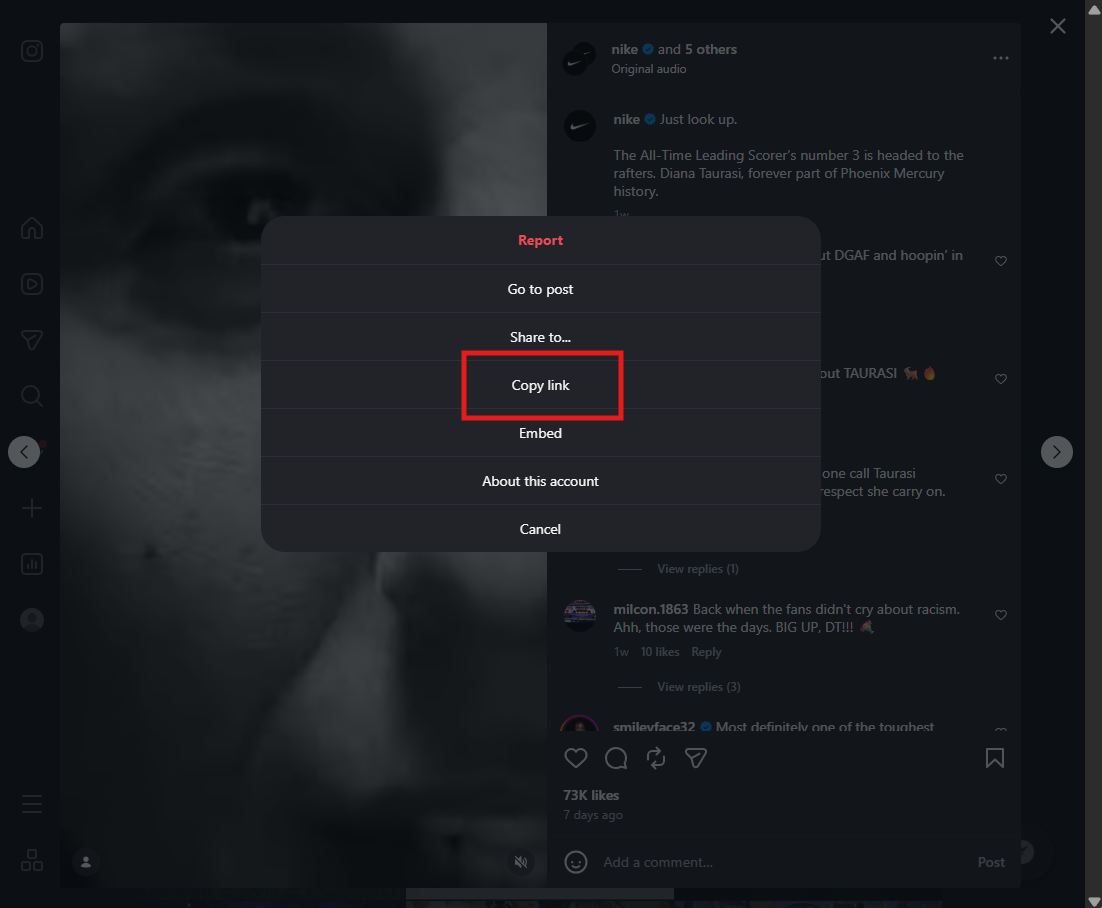
- Option 2: Search by URL: Copy the video URL of an individual reel from Instagram or TikTok and paste it into the box.
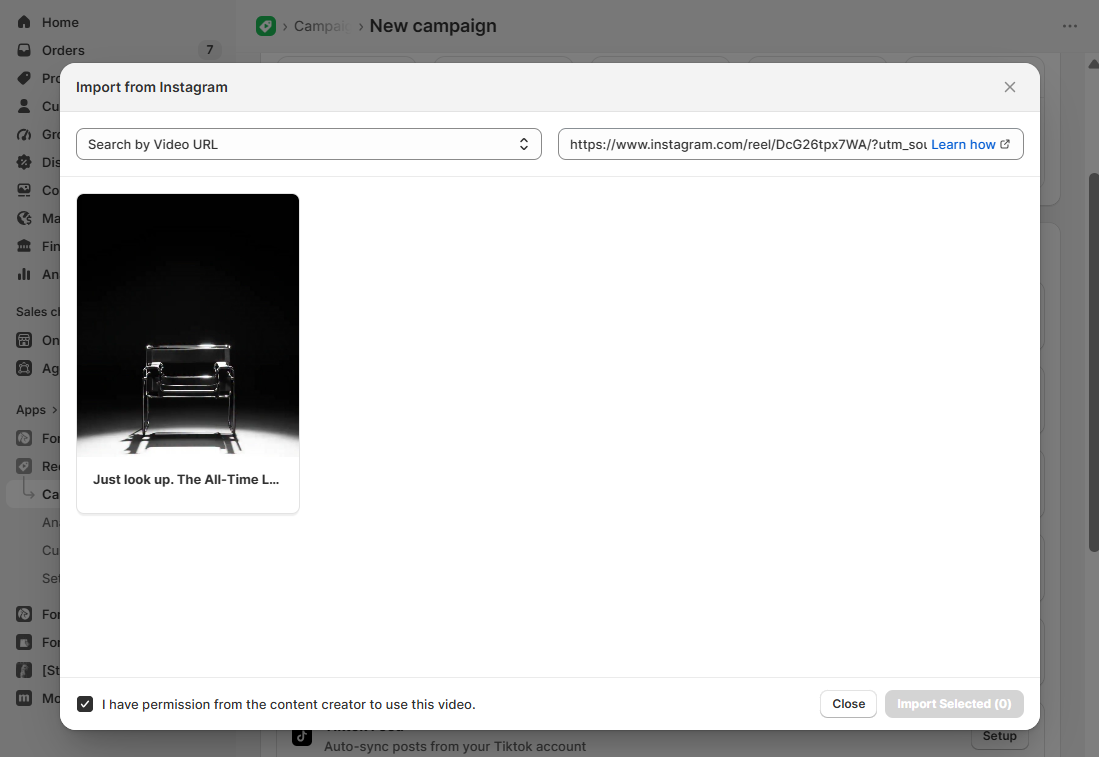
Note: Before continuing, make sure "I have permission from the content creator to use this video" is checked.
Step 3: Select and import videos
Select the video(s) you want to add to ReelPik, then click Import Selected.
Wait while ReelPik imports and processes your selected videos. Once completed, they will be available in your video list.
Tip: We recommend importing a maximum of 10 videos at a time to help maintain a stable connection and ensure your videos are uploaded and processed successfully.
Import from Device
You can upload videos directly from your computer to ReelPik.
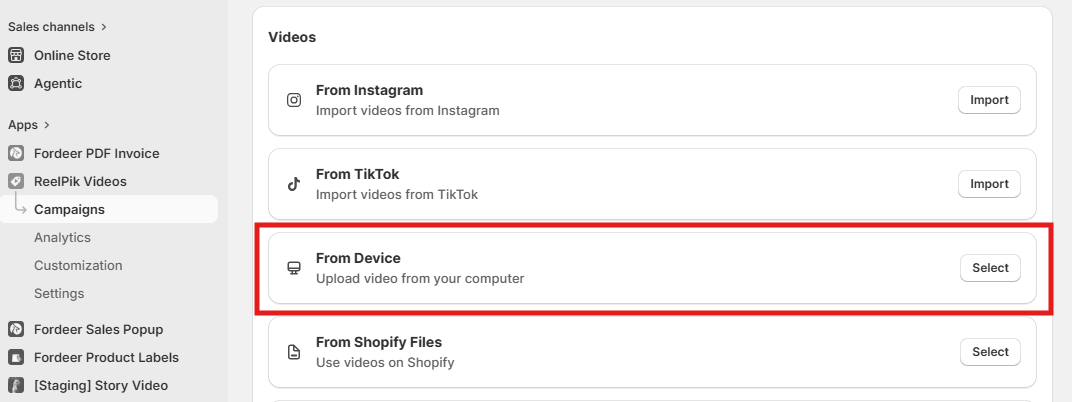
Step 1: Open the upload window
From the Videos section, select From Device, then click Select.
Step 2: Add your videos
Click to select files to choose videos from your computer. You can also drag and drop your videos directly into the upload area. Multiple videos can be added at once.
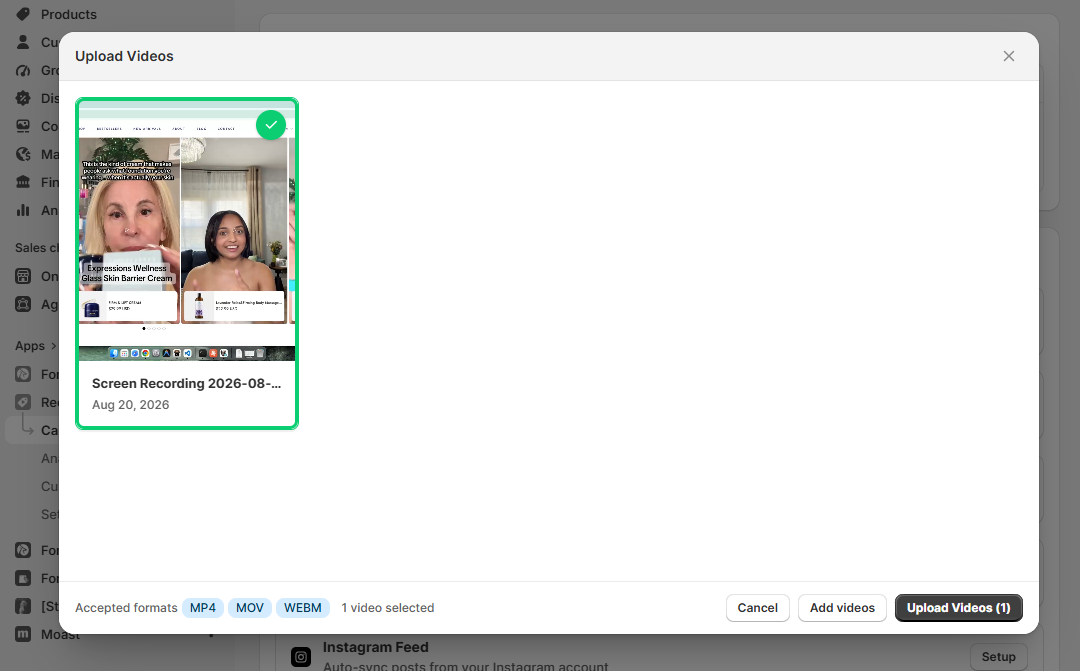
Step 3: Check the video format
ReelPik currently accepts the following video formats:
-
MP4
-
MOV
-
WEBM
Step 4: Upload your videos
After adding your files, review your selection and click Upload Videos.
Wait while ReelPik uploads and processes the files. Once completed, your videos will be available in your video list.
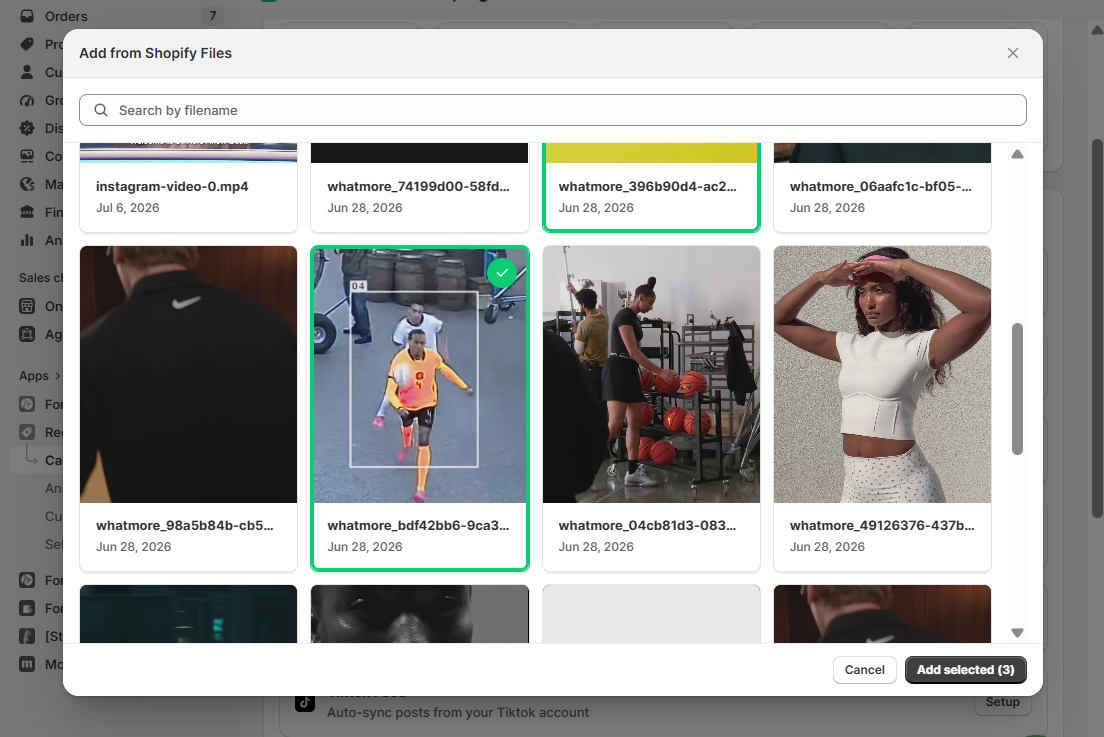
Import from Shopify Files
If your videos are already stored in Shopify Files, you can add them directly to ReelPik without uploading them again from your device.
We value your feedback — it helps us continuously improve our apps and provide you with a better experience.
🖥️ Demo store: Check out here with password: 1
👉 Chat with us: Share your feedback directly with our team.
👉 Email us: hi@reelpik.com
👉 Explore more apps: Discover more Fordeer apps.
👉 Join our community: Join ForDeer Community to get the latest updates, tips, and special deals.
🕐 Working hours: 8:30 AM – 5:00 PM (UTC+7), Monday–Friday.
We typically reply to live chats within minutes and emails within a few hours.
Need help? Feel free to reach out anytime via live chat or email!