

Overview
The Meta Pixel Integration allows ReelPik to send customer interaction events directly to your Meta Pixel, helping you measure campaign performance and build audiences for retargeting on Facebook and Instagram.
Supported tracking events include:
-
Video View
-
Product Click
-
Add to Cart
-
Checkout Initiated
-
Checkout Completed
How to configure Meta Pixel Integration
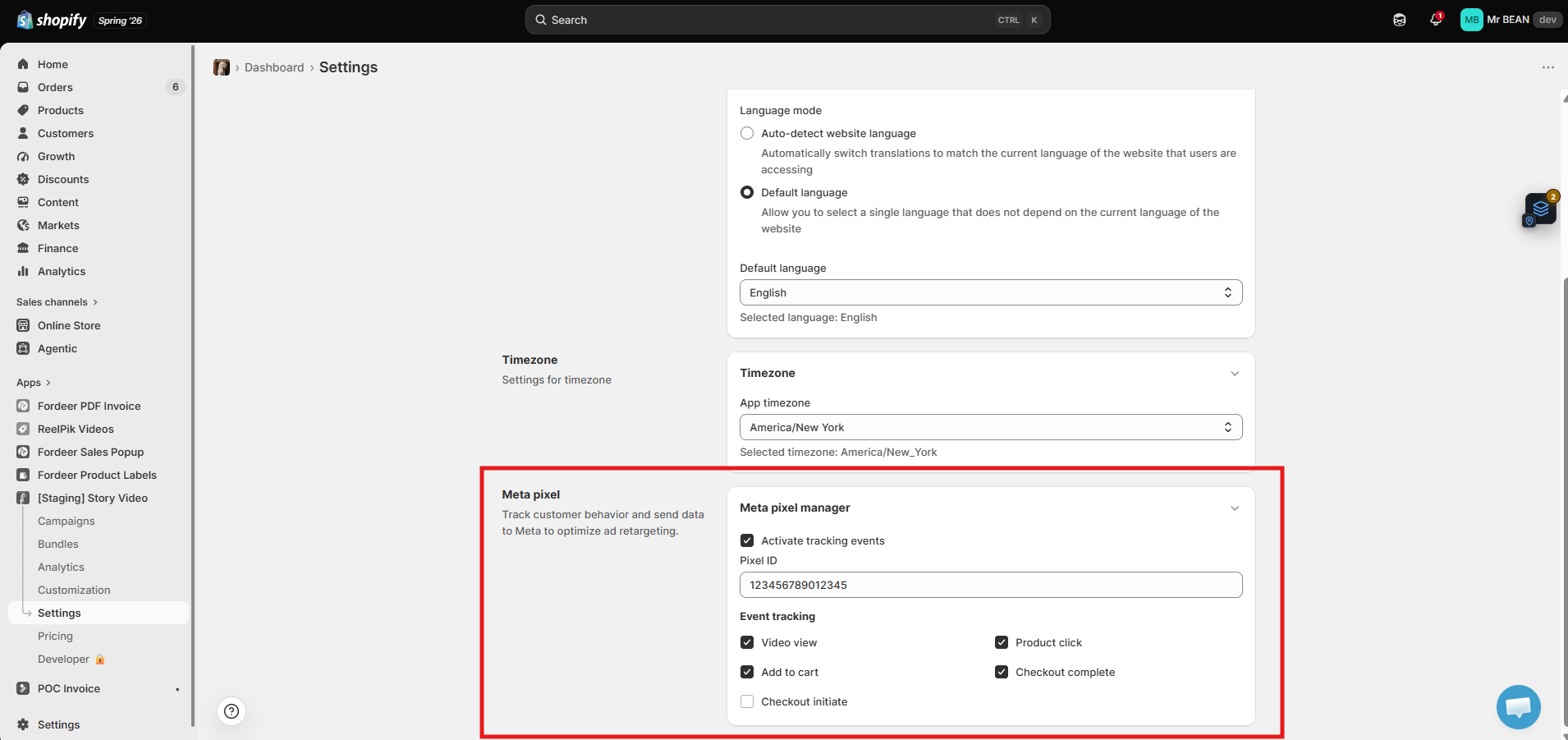
Step 1: Open Meta Pixel settings
-
Go to ReelPik App → Settings.
-
Scroll to the bottom of the page.
-
Locate the Meta Pixel section.
Step 2: Enable Meta Pixel tracking
-
Check Activate tracking events.
-
Enter your Meta Pixel ID.
Step 3: Choose events to track
Select the customer events you'd like ReelPik to send to Meta.
Available events include:
-
✅ Video View
-
✅ Product Click
-
✅ Add to Cart
-
✅ Checkout Initiated
-
✅ Checkout Completed
You can enable or disable each event independently based on your advertising strategy.
Step 4: Save your changes
Click Save to activate Meta Pixel tracking.
Once enabled, ReelPik will begin sending the selected events to your connected Meta Pixel.
Notes
-
Make sure you've created a Meta Pixel in Meta Events Manager before entering your Pixel ID.
-
Enter the correct Pixel ID to ensure events are sent to the intended Meta account.
-
Only the events you select will be tracked and sent to Meta.
-
Tracking data can be used to measure conversions, optimize ad campaigns, and create retargeting audiences in Meta Ads Manager.
We value your feedback — it helps us continuously improve our apps and provide you with a better experience.
🖥️ Demo store: Check out here with password: 1
👉 Chat with us: Share your feedback directly with our team.
👉 Email us: hi@reelpik.com
👉 Explore more apps: Discover more Fordeer apps.
👉 Join our community: Join ForDeer Community to get the latest updates, tips, and special deals.
🕐 Working hours: 8:30 AM – 5:00 PM (UTC+7), Monday–Friday.
We typically reply to live chats within minutes and emails within a few hours.
Need help? Feel free to reach out anytime via live chat or email!