

Overview
With ReelPik, shoppers can explore products and add them to their cart directly from your videos without leaving the video player.
You can customize what happens immediately after a shopper clicks Add to cart, allowing you to create a shopping flow that works best for your store.
How to configure the Add to cart action
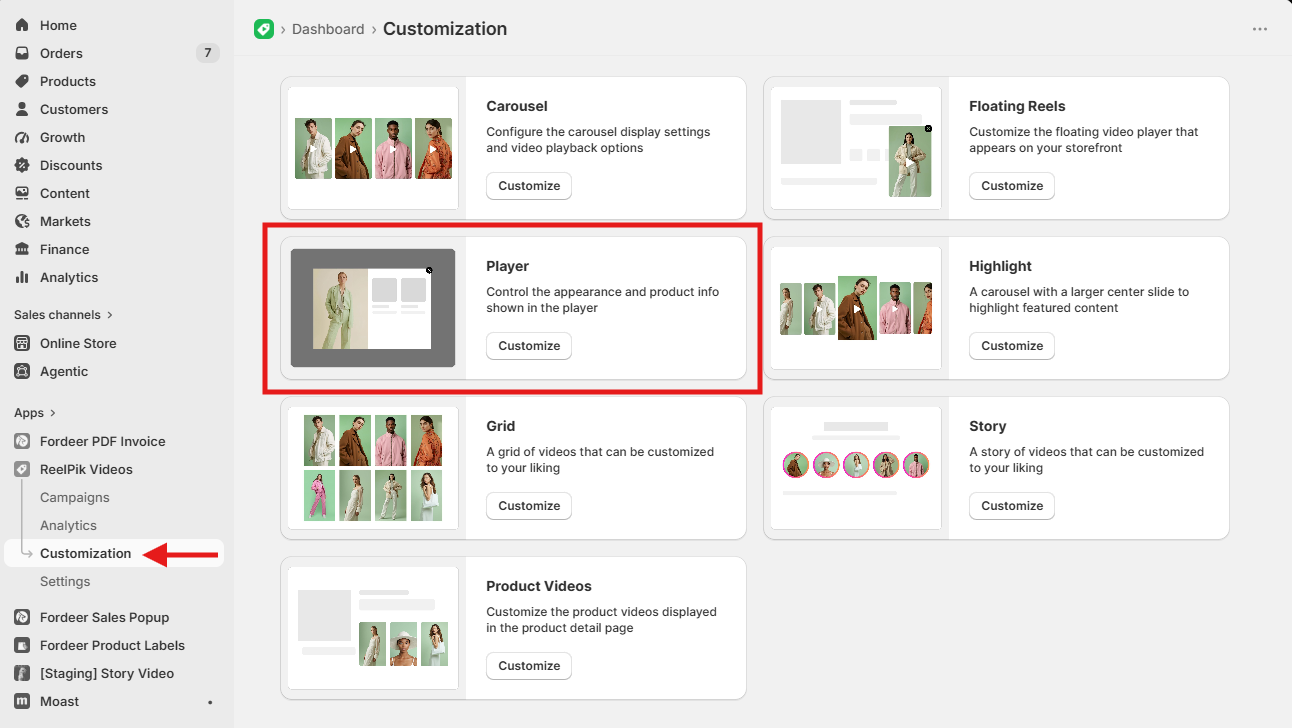
Step 1: Open Player settings
-
From the ReelPik dashboard, go to Customization > Player.
-
Scroll to the button configuration section.
Step 2: Set the button action
-
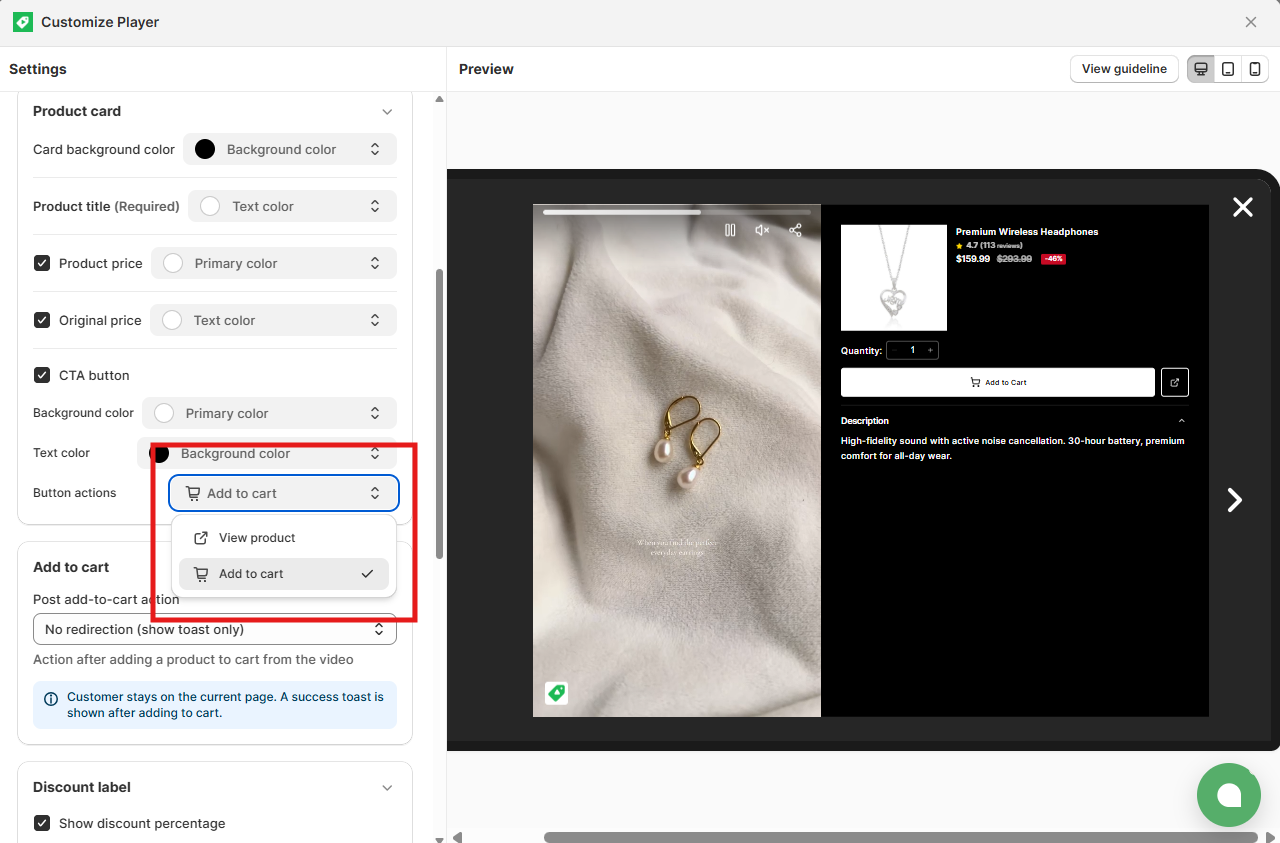
Go to Product card > CTA button > Button action.
-
Select Add to cart as the button action.
Step 3: Choose a Post add-to-cart action
Once Add to cart is selected, the Post add-to-cart settings will automatically appear.
ReelPik currently supports five actions, allowing you to choose what happens after a shopper adds a product to their cart.
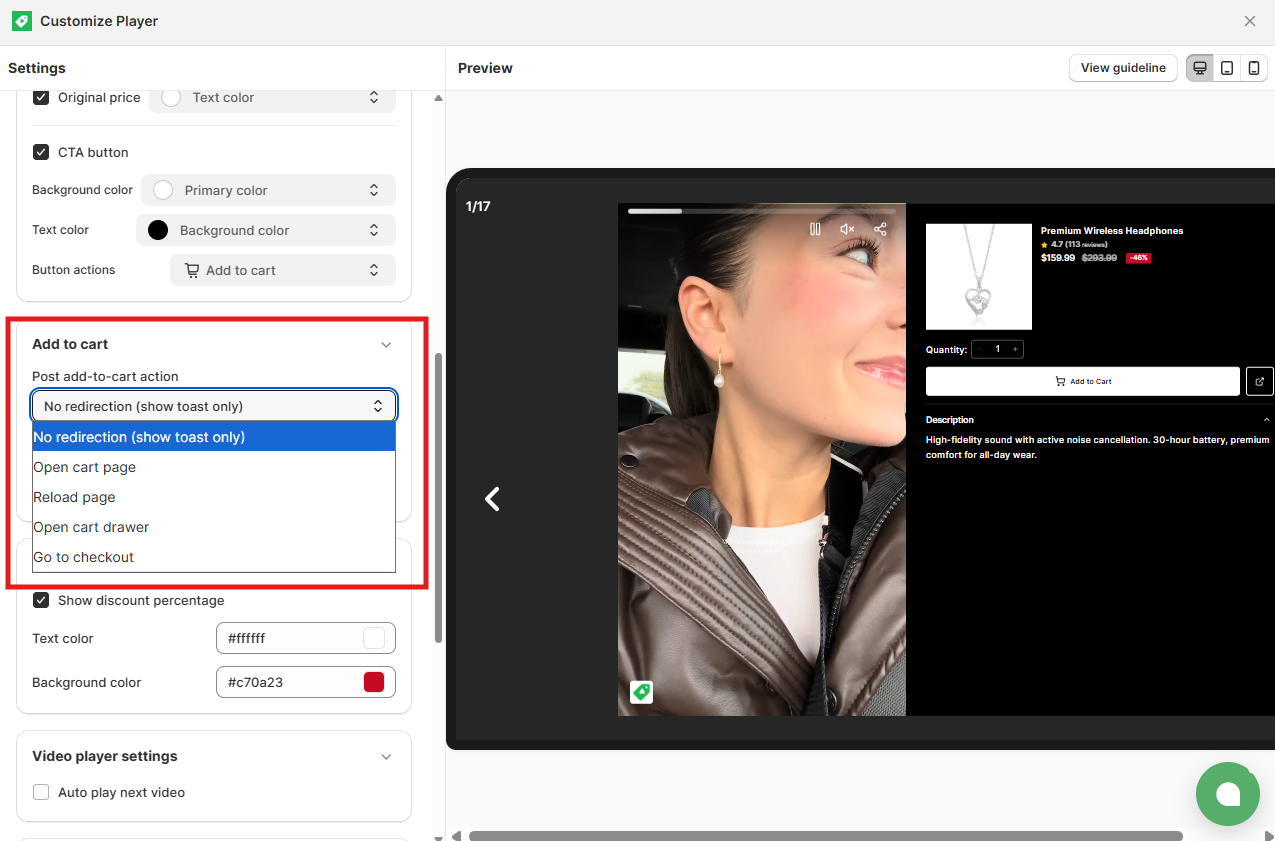
Post Add-to-cart options
1. No direction
After the product is successfully added to the cart, a small Success notification will appear. The shopper will remain on the current page.
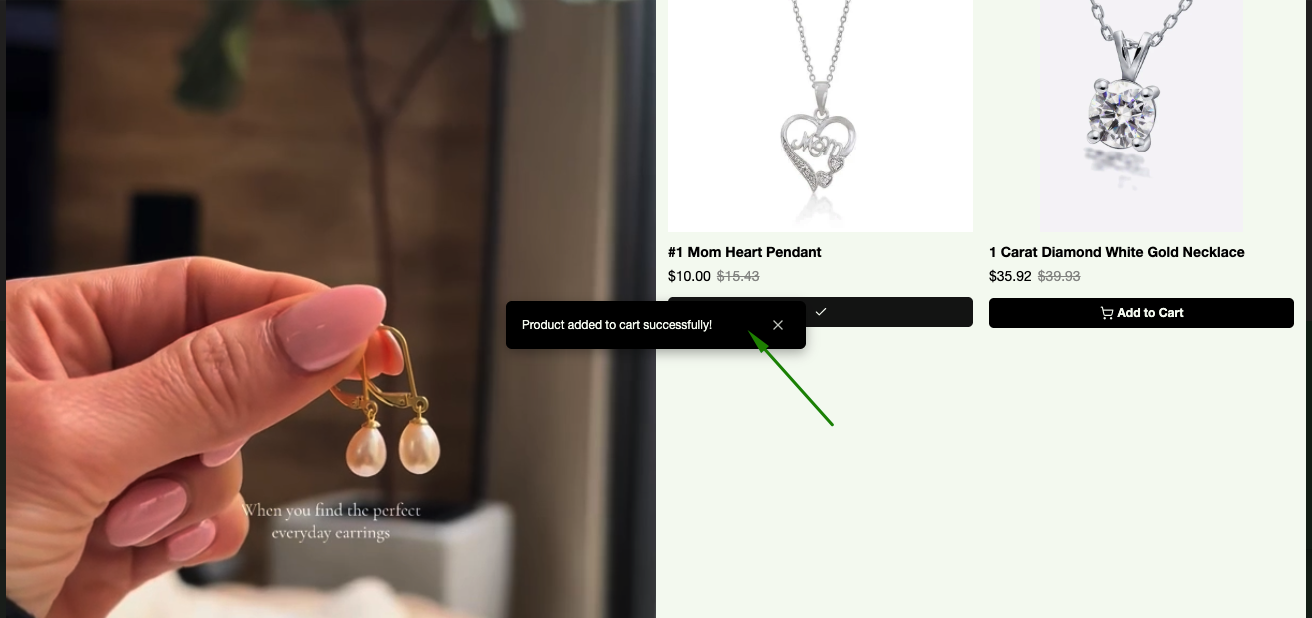
Note: Shoppers will need to refresh the page manually to see the updated item count in the cart header.
2. Open cart page
After adding the product, the shopper will be automatically redirected to your store's cart page.
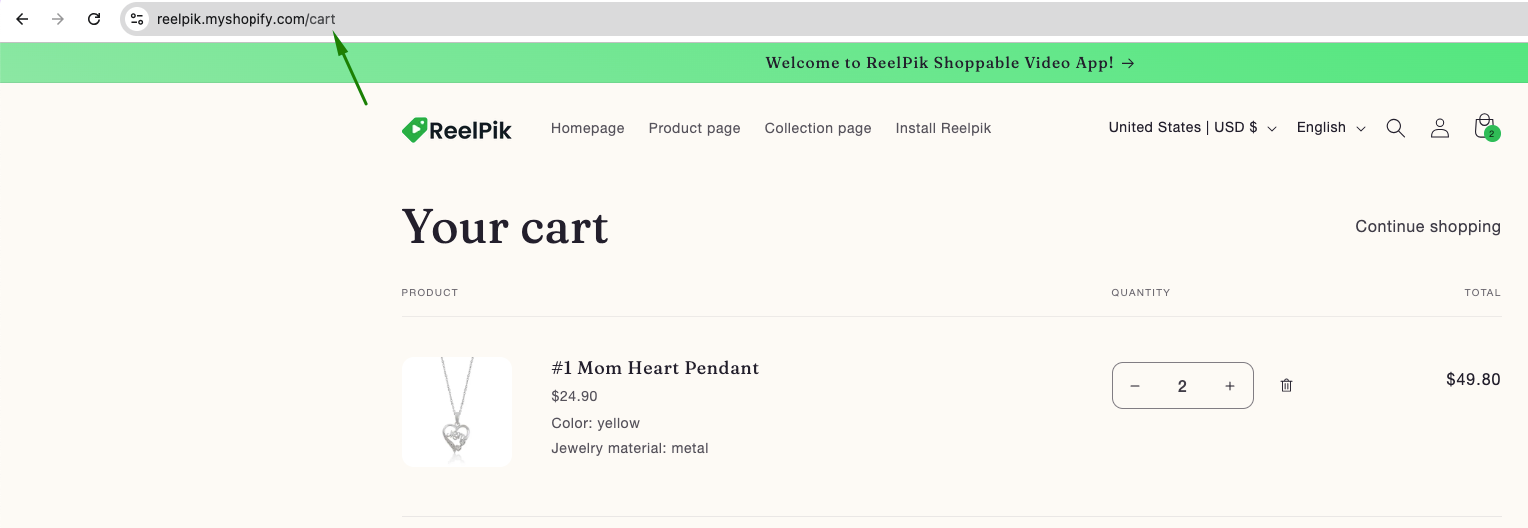
Tip: Use this option when you want shoppers to review their cart before continuing to checkout.
3. Reload page
After the product is added to the cart, the entire storefront page will automatically reload.
This ensures that the cart quantity displayed on your storefront is updated automatically.
Tip: This option can be useful when you want the storefront to immediately reflect the latest cart information.
4. Open cart drawer
After the product is added, your store's cart drawer will automatically open, allowing shoppers to see the product and quantity they just added without leaving the current page.
ReelPik supports most popular Shopify themes, including Dawn, Sense, Origin, Impulse, Prestige, Horizon, and more.
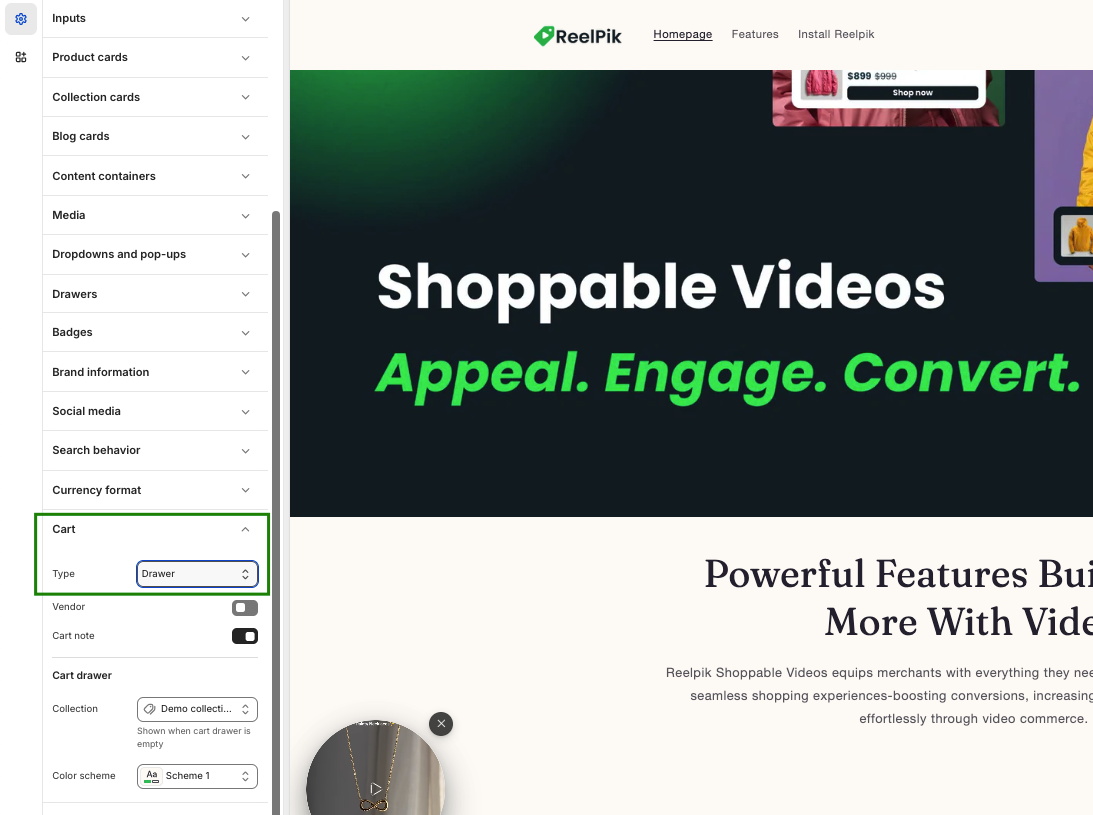
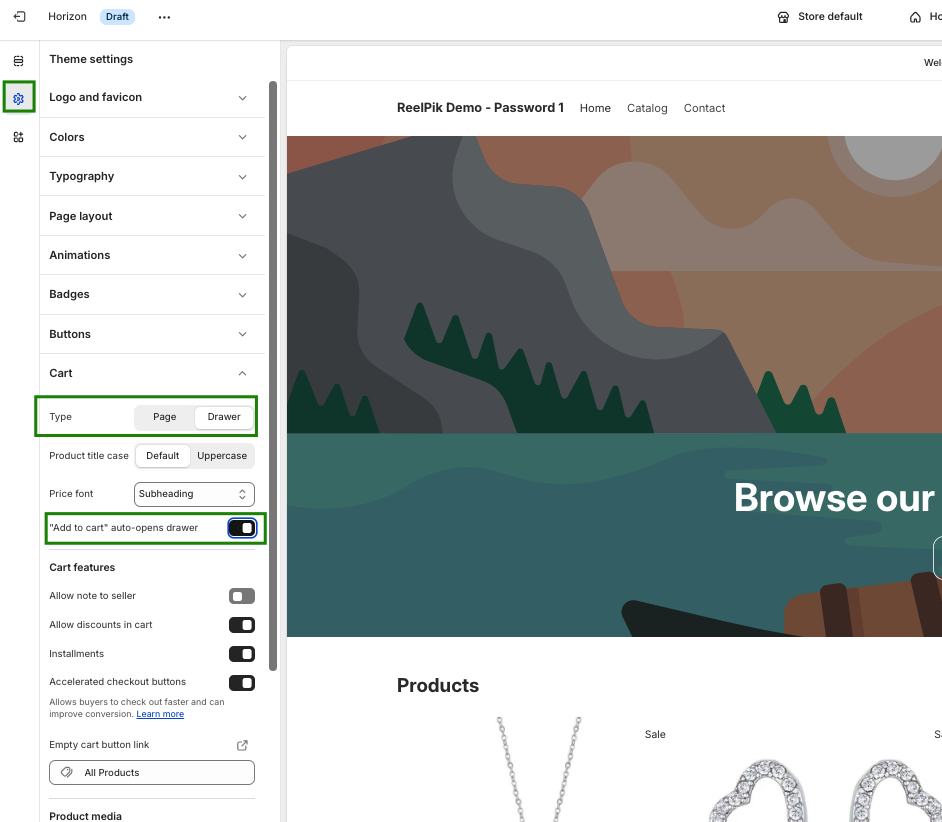
Note: Your Shopify theme must have the Cart drawer feature enabled in the Shopify Theme customizer for this option to work.
5. Go to checkout
After the product is added to the cart, the shopper will be redirected directly to the Shopify checkout page.
This provides the fastest path from adding a product to completing the purchase.
Tip: Use this option when you want to shorten the purchase flow and take shoppers directly to checkout.
Note: Use this option when you want to shorten the purchase flow and take shoppers directly to checkout.
If you're using a custom or highly modified Shopify theme, ReelPik may require additional adjustments to recognize your cart drawer correctly.
If the cart drawer does not display correctly or another cart action does not work as expected after following these steps, please contact our support team for assistance.
We value your feedback — it helps us continuously improve our apps and provide you with a better experience.
🖥️ Demo store: Check out here with password: 1
👉 Chat with us: Share your feedback directly with our team.
👉 Email us: hi@reelpik.com
👉 Explore more apps: Discover more Fordeer apps.
👉 Join our community: Join ForDeer Community to get the latest updates, tips, and special deals.
🕐 Working hours: 8:30 AM – 5:00 PM (UTC+7), Monday–Friday.
We typically reply to live chats within minutes and emails within a few hours.
Need help? Feel free to reach out anytime via live chat or email!