

Overview
ReelPik Analytics gives you a complete view of how your videos and widgets are performing in your Shopify store.
You can track video views, add-to-cart clicks, orders, sales, conversion rate, and click-through rate (CTR), as well as identify your top-performing campaigns, videos, and products.
Use these insights to understand how shoppers interact with your video content and optimize your campaigns to drive more engagement and sales.
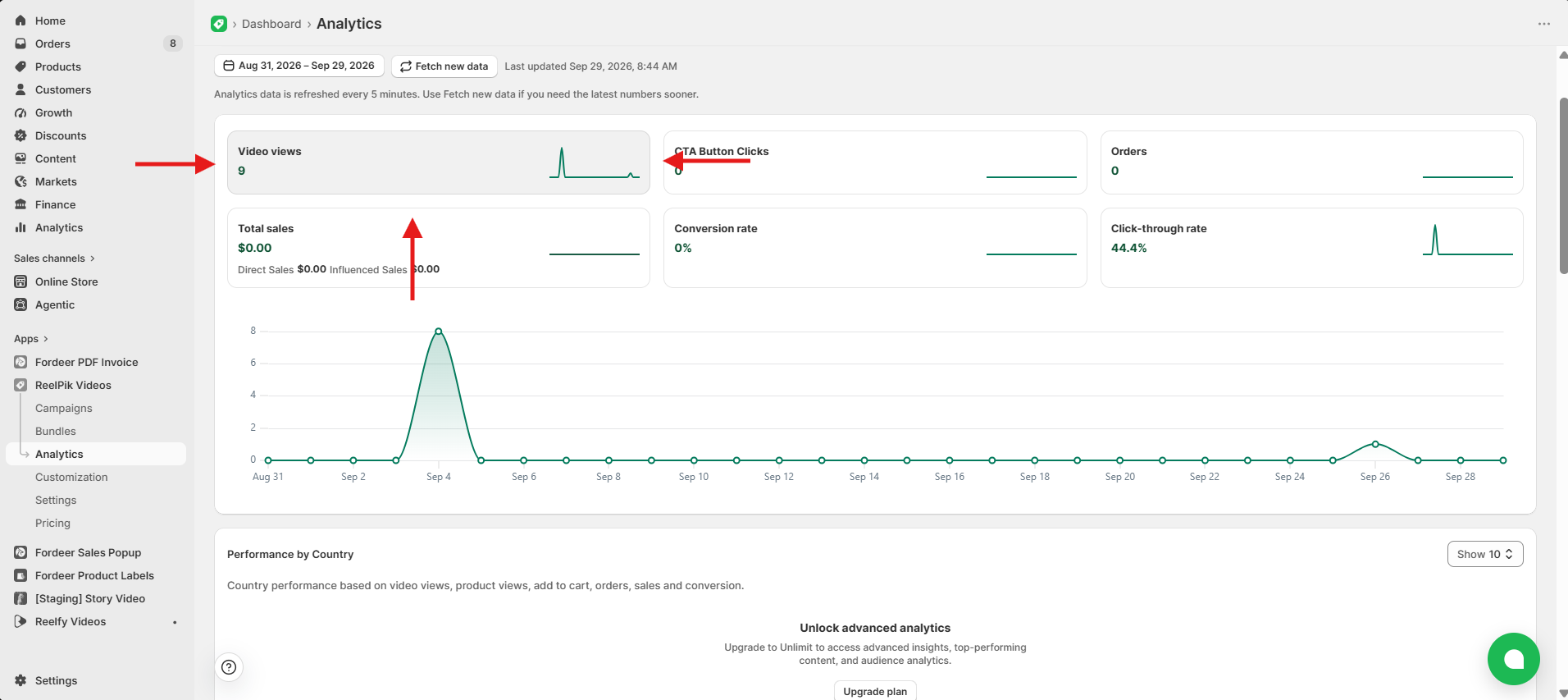
Video Views
Video views show the number of qualified views your videos have received.
-
A view is counted when a shopper watches at least 2 seconds of a video.
-
If a shopper watches the same video multiple times across different viewing sessions, each qualified view is counted separately.
For example, if a shopper watches Video 1 for at least 2 seconds, switches to Video 2, and then returns to Video 1 for another 2 seconds, ReelPik records 2 views for Video 1.
CTA Button Clicks
CTA button clicks show the total number of times shoppers click a purchase CTA while interacting with your shoppable videos.
ReelPik displays two types of CTA button clicks here:
-
Add to Cart: The number of times shoppers add a product to their cart directly from a shoppable video.
-
Buy Now: The number of times shoppers click Buy Now to proceed directly to purchase from a shoppable video.
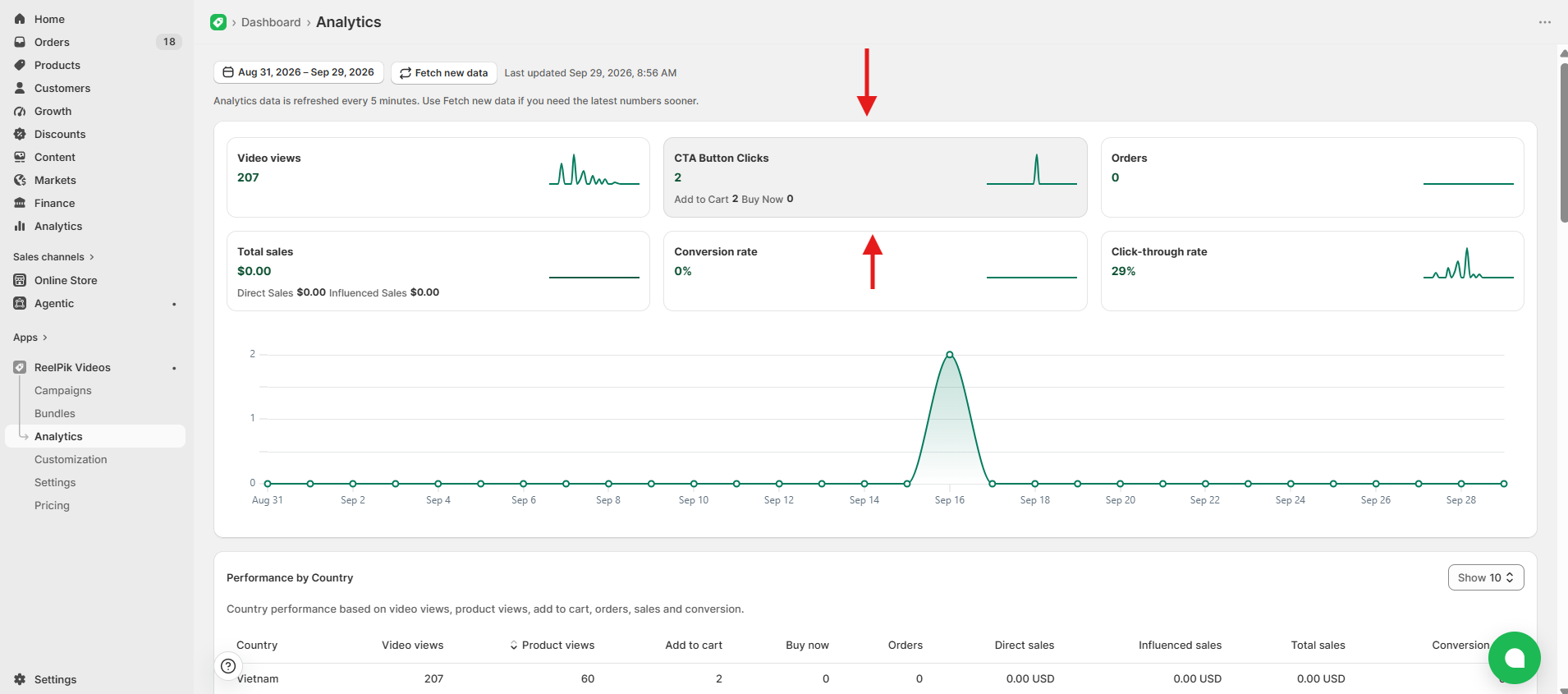
Tip: Compare Add to Cart and Buy Now clicks to understand how shoppers prefer to move from watching your videos to making a purchase.
Orders
Orders shows the total number of successful orders attributed to your shoppable video content.
Use this metric to understand how your videos contribute to completed purchases in your store.
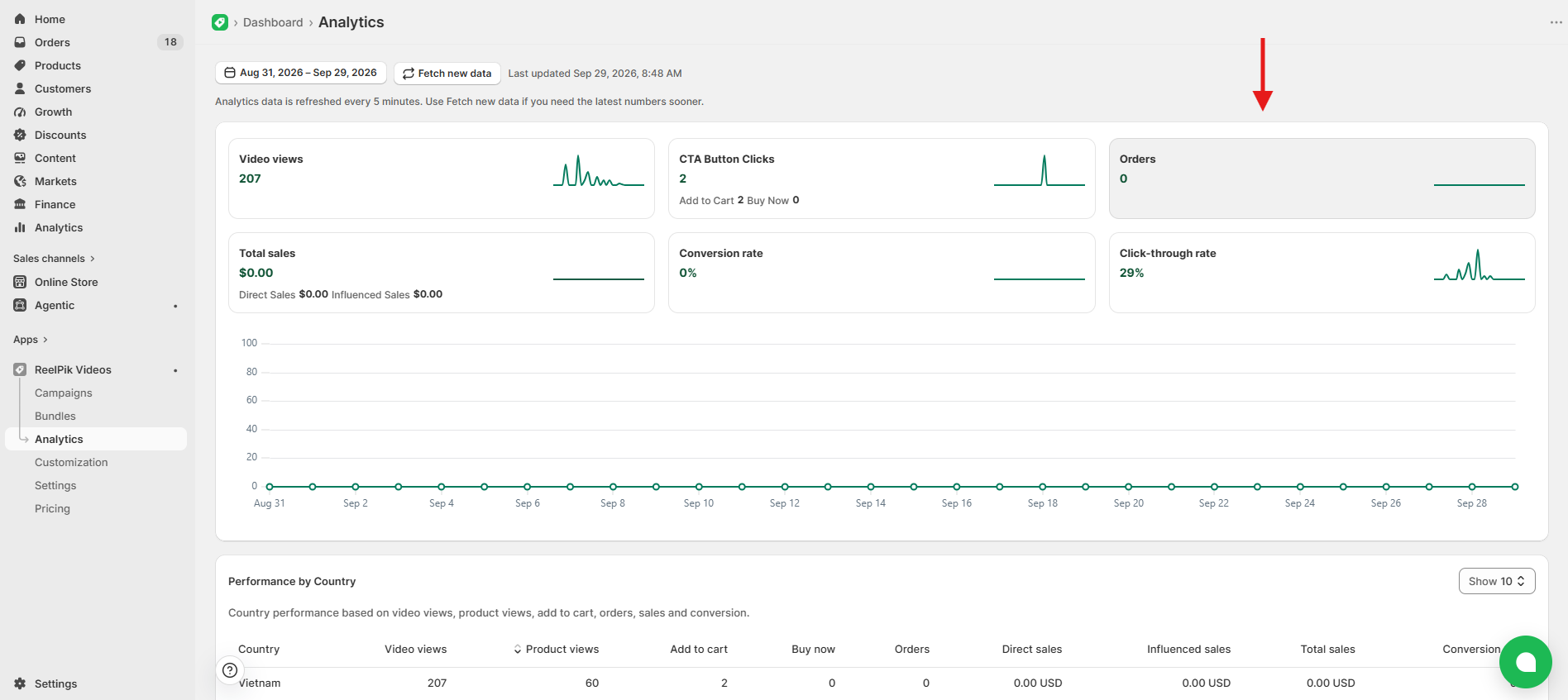
Tip: Compare Orders across different videos and campaigns to see which content is driving the most purchases.
Sales
Sales shows the revenue attributed to shoppers who interacted with your video content before making a purchase.
ReelPik tracks two types of sales:
-
Direct Sales: When a shopper watches a video, clicks View Product or Add to Cart, and purchases the product within 30 days, the purchase is counted as a Direct Sale.
-
Influenced Sales: When a shopper watches a video without clicking a CTA, then purchases the same product within 30 days, the purchase is counted as an Influenced Sale.
Sales are calculated based on product value and exclude shipping fees, taxes, duties, discounts, and other non-product charges.
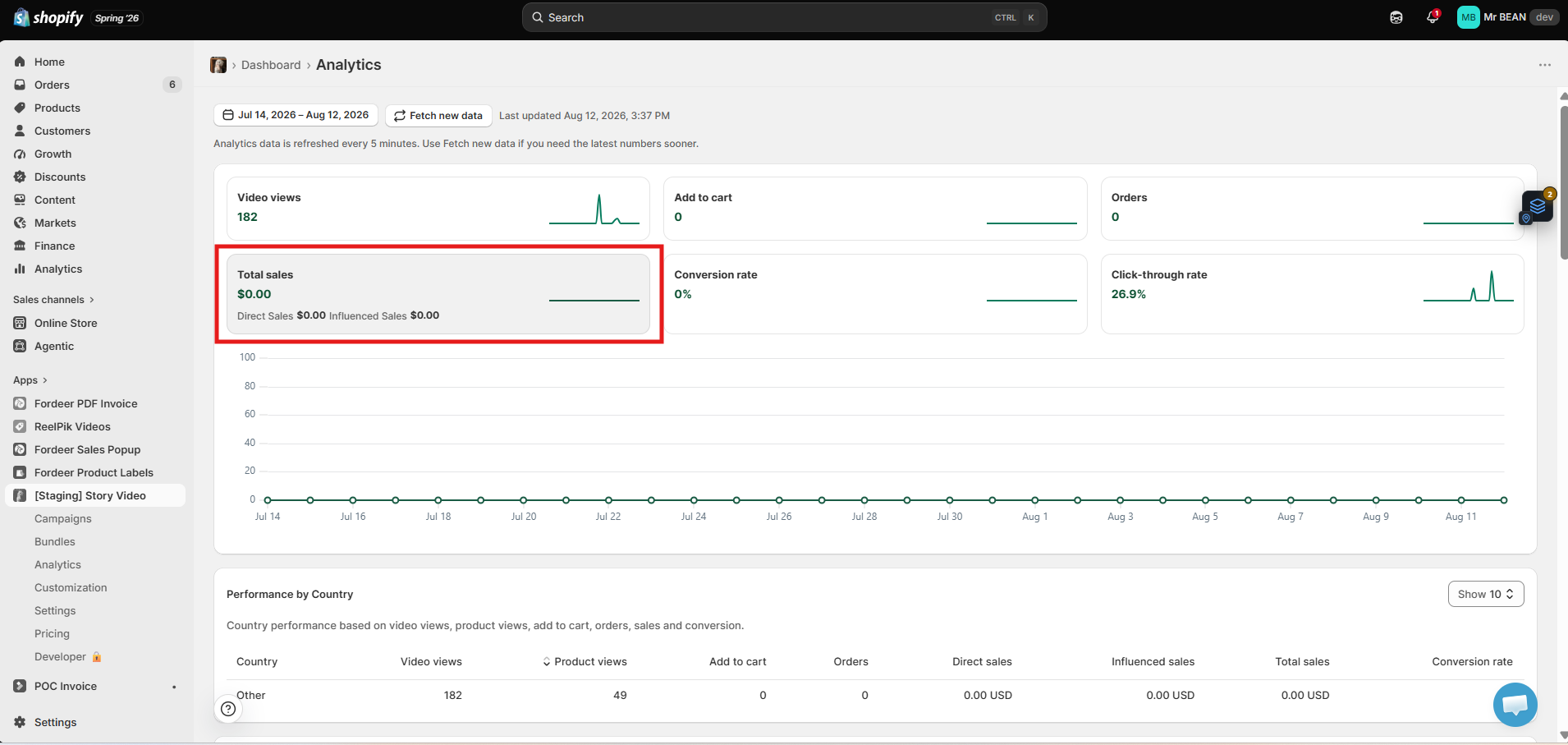
Note: Sales can be attributed to both products tagged directly in your videos and recommended products associated with them.
Conversion Rate
Conversion rate shows the percentage of video views that result in an order.
It is calculated as:
Conversion Rate = Total Orders ÷ Total Video Views
A higher conversion rate means a greater percentage of shoppers who watch your videos go on to complete a purchase.
Tip: Compare conversion rates across your videos to identify which content is most effective at turning viewers into customers.
Click-through Rate (CTR)
Click-through rate (CTR) shows the percentage of video views that result in a shopper clicking on a featured product.
It is calculated as:
CTR = Total Clicks ÷ Total Video Views
CTR helps you understand how effectively your videos encourage shoppers to explore the products being featured.
Tip: Compare CTR across your videos to identify which content generates the most product interest.
Top Performance Rankings
ReelPik Analytics helps you identify which campaigns, videos, and products are performing best.
-
Top Campaigns: See your best-performing campaigns based on views, add to cart, sales, orders, and conversion.
-
Top Videos: See your best-performing videos based on video views, add to cart, sales, orders, and conversion.
-
Top Products: See which products are getting the most views, add to cart, sales, orders, and conversion.
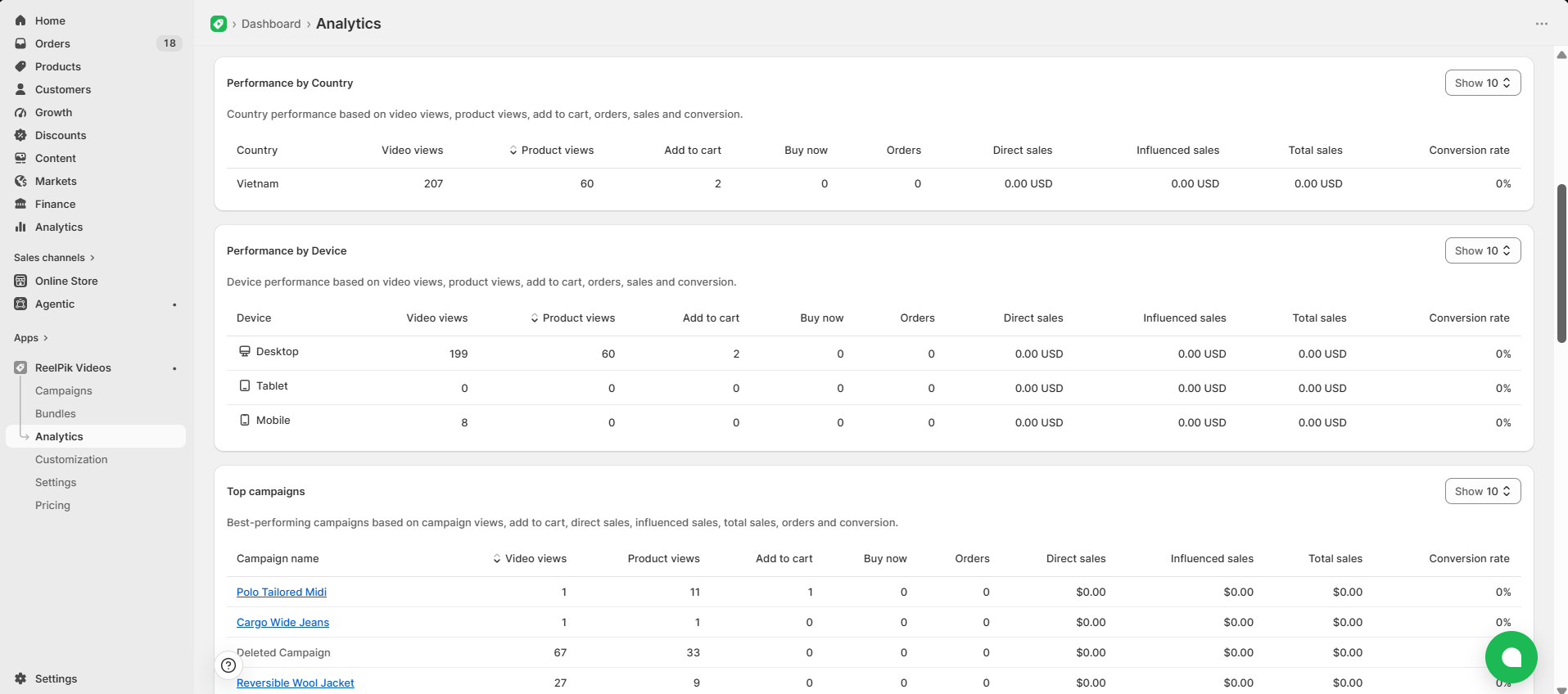
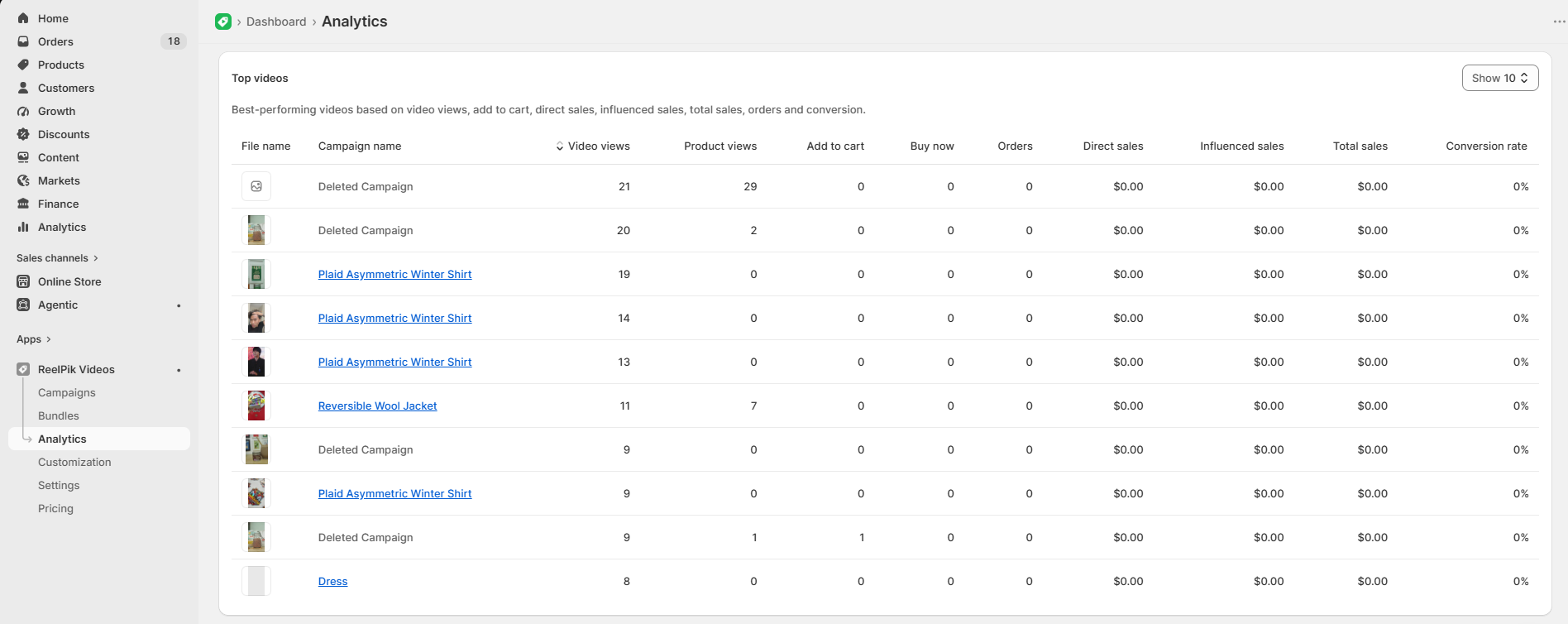
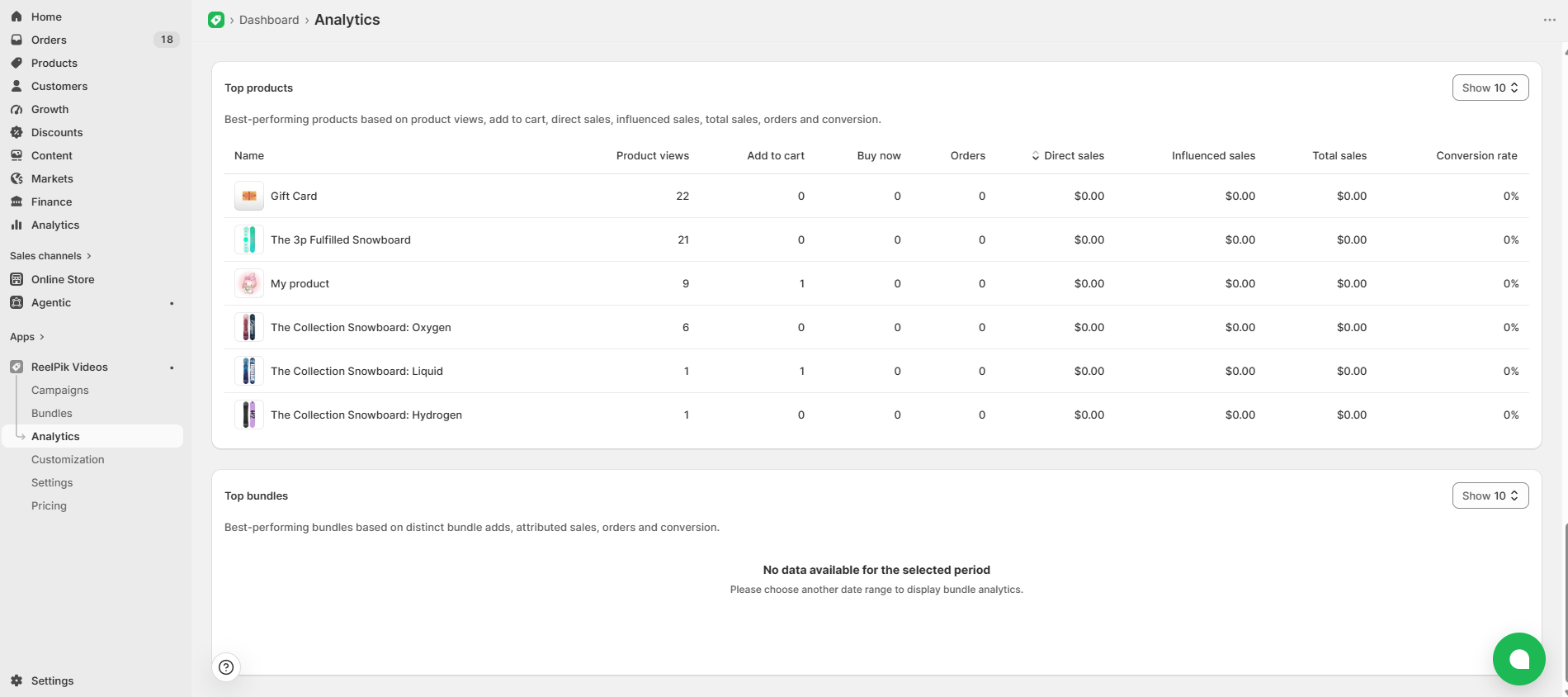
Tip: Use these rankings to understand what works best with your shoppers and apply those insights to future videos and campaigns.
🎁 Try Analytics Free for 1 Month
Want to explore ReelPik Analytics before upgrading your plan?
With ReelPik's 1-Month Free Trial Program, you can request access to Analytics and try it on your store for 1 month at no cost, without upgrading your current plan.
Simply contact our support team and let us know you'd like to try Analytics (Basic/Advanced/Both). Once your request is approved, our team will enable the feature for your store.
Note: You can request up to 3 eligible premium features as part of the 1-month free trial. After 14 days, we'll ask you to share some quick feedback about your experience.
Learn more about the 1-Month Free Trial Program
We value your feedback — it helps us continuously improve our apps and provide you with a better experience.
🖥️ Demo store: Check out here with password: 1
👉 Chat with us: Share your feedback directly with our team.
👉 Email us: hi@reelpik.com
👉 Explore more apps: Discover more Fordeer apps.
👉 Join our community: Join ForDeer Community to get the latest updates, tips, and special deals.
🕐 Working hours: 8:30 AM – 5:00 PM (UTC+7), Monday–Friday.
We typically reply to live chats within minutes and emails within a few hours.
Need help? Feel free to reach out anytime via live chat or email!