

Overview
If your video widget appears narrower than other sections on your storefront, the difference may be caused by your theme’s section width, padding, or custom CSS.
Follow the steps below to adjust the carousel width.
How to Adjust the Carousel Width
Step 1: Open Your Shopify Theme Editor
-
Go to Shopify Admin → Online Store → Themes → Customize.
-
Navigate to the page where your UGC Video Carousel is displayed.
Step 2: Select the ReelPik UGC Video Carousel
Click the ReelPik UGC Video Carousel section or app block in the Theme Editor.
Step 3: Check the Width Settings
Check whether your theme provides settings such as:
-
Full width
-
Container width
-
Section width
If the Full width option is available, enable it to make the carousel extend across the same width as other sections.
You can also check the left and right padding or margin settings and adjust them if necessary.
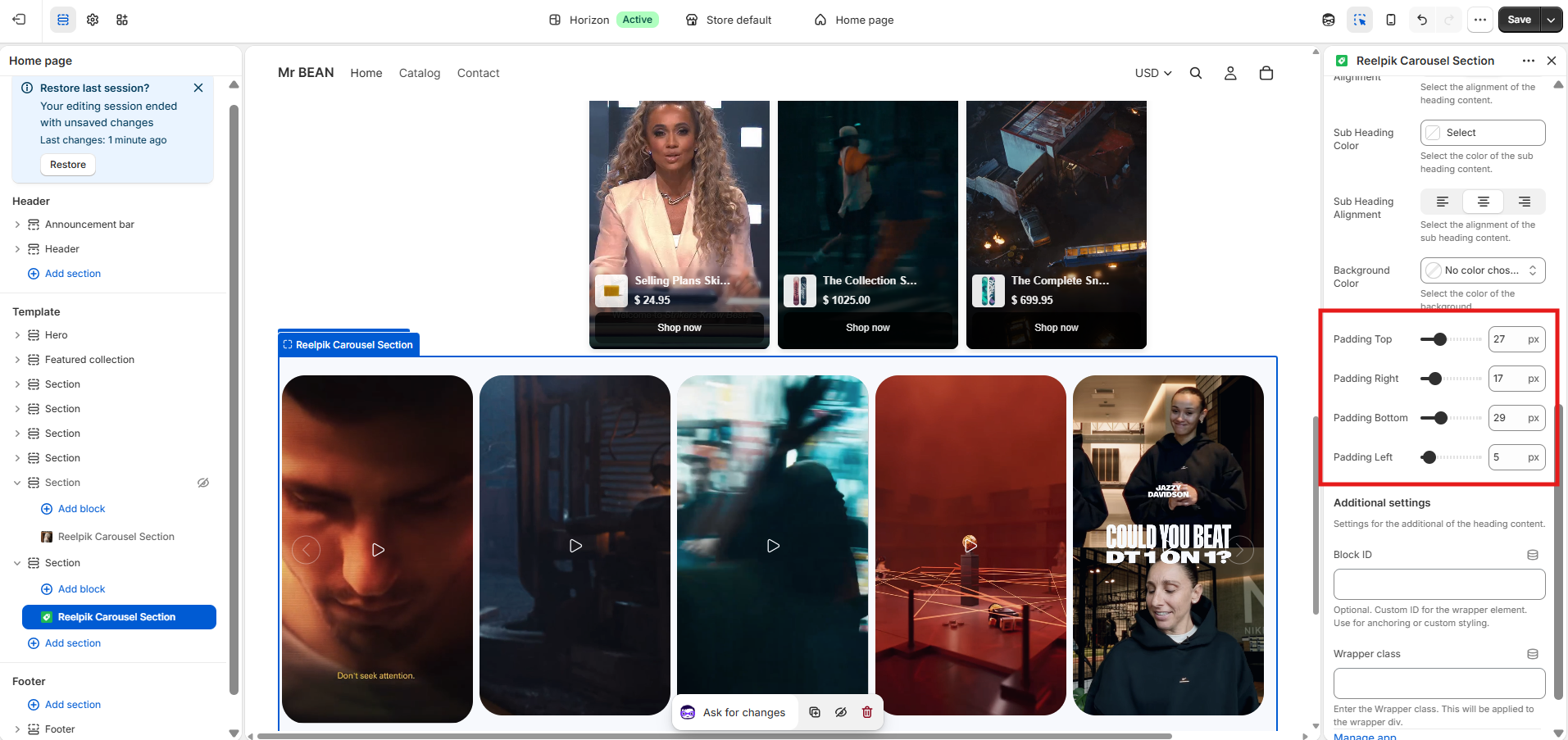
Step 4: Check for Theme CSS Conflicts
If the carousel width still doesn't match other sections after adjusting the settings, your theme may be applying custom CSS or a maximum-width rule to the ReelPik app block.
In this case, please contact our support team and provide your Shopify collaborator request code. Our team can access your store and check the CSS/layout conflict for you.
Notes
-
The available settings may vary depending on your Shopify theme.
-
Theme-level padding, margins, or
max-widthsettings can affect how the ReelPik carousel is displayed. -
Avoid adding custom CSS unless necessary, as it may override the ReelPik app block's default styling.
We value your feedback — it helps us continuously improve our apps and provide you with a better experience.
🖥️ Demo store: Check out here: https://reelpik.myshopify.com with password: 1
👉 Chat with us: Share your feedback directly with our team.
👉 Email us: hi@reelpik.com
👉 Explore more apps: Discover more Fordeer apps.
👉 Join our community: Join ForDeer Community to get the latest updates, tips, and special deals.
🕐 Working hours: 8:30 AM – 5:00 PM (UTC+7), Monday–Friday.
We typically reply to live chats within minutes and emails within a few hours.
Need help? Feel free to reach out anytime via live chat or email!