

Overview
The Product Videos block lets you display videos directly on your product pages. Product videos help shoppers better understand your products, build trust, and make faster buying decisions — which can lead to higher sales.
What are Product Videos
The Product Videos block automatically displays videos tagged to the product shoppers are currently viewing.
-
How it works: The block automatically shows all videos tagged to a specific product.
-
Example: If you’ve created a campaign with 5 videos linked to Product A, all 5 videos will appear on Product A’s page.
-
Video display: The widget displays 4 videos at a time. Shoppers can click Next/Back to browse the remaining videos.
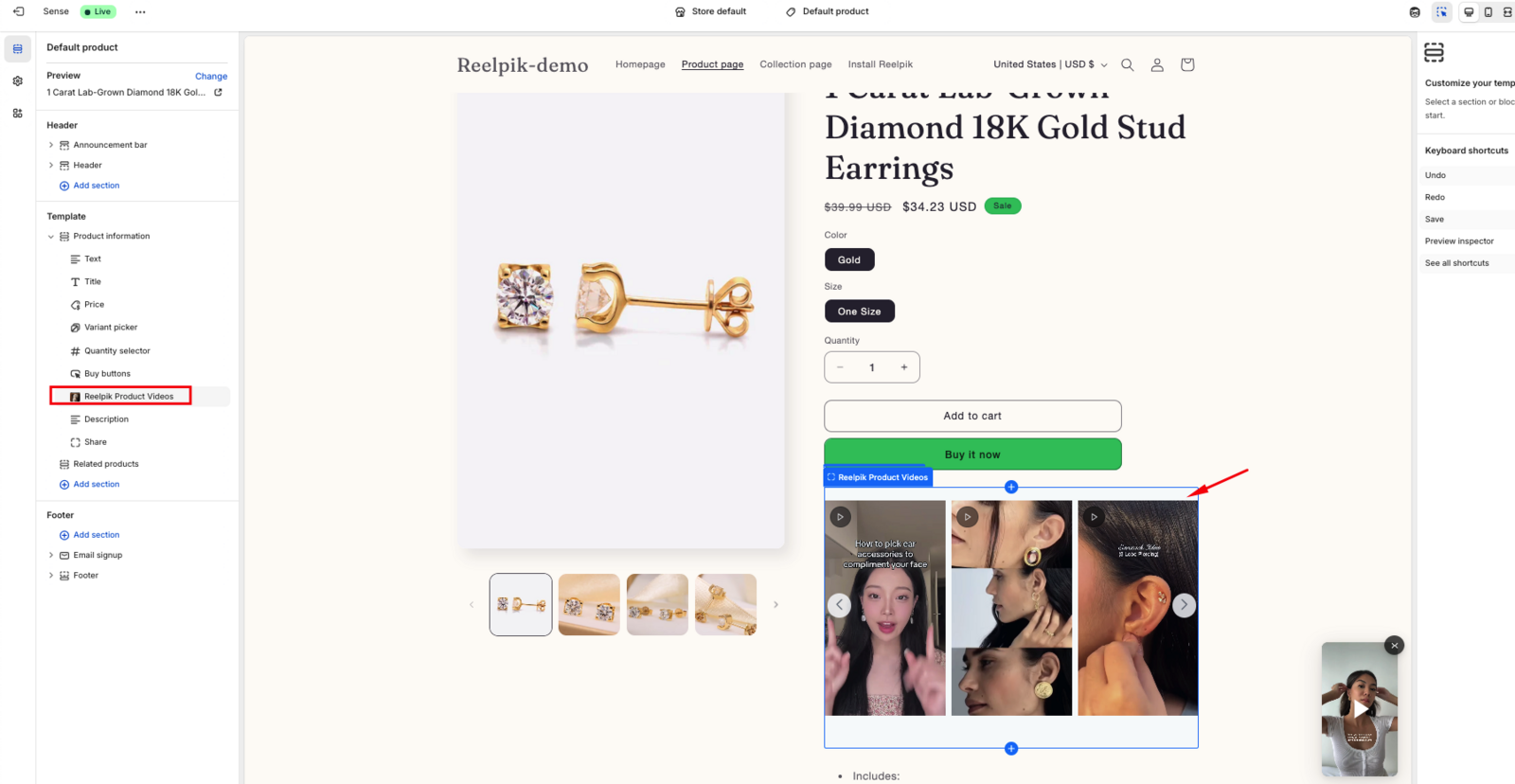
When Product Videos Appear
Product videos will only be displayed when:
-
The product is tagged to one or more videos.
-
A campaign containing those videos has been created.
Product Video section.
Tip: Make sure your videos are tagged to the correct products so shoppers see relevant video content on each product page.
How to Add Product Videos to Product Page
Follow these steps to add the Product Videos block to your Shopify product pages:
-
From your Shopify Admin, go to Online Store → Themes.
-
Find your current theme and click Customize.
-
At the top of the Theme Editor, select your Product template (for example, Default product).
-
In the left sidebar, click Add section.
-
Switch to the Apps tab.
-
Find and select ReelPik Product Videos.
-
Position the section where you want the videos to appear on your product page.
-
Click Save.
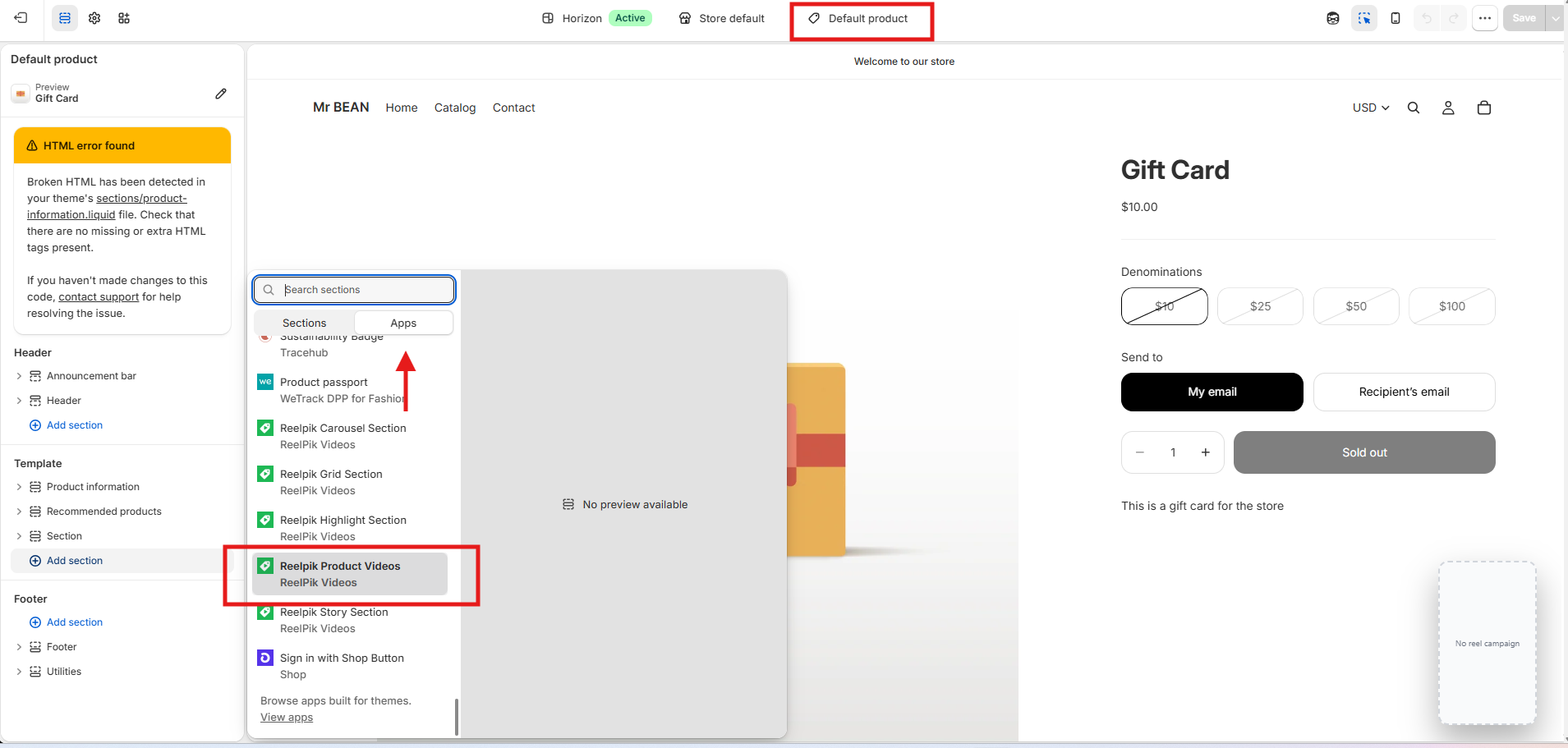
Once added, the Product Videos section will automatically display videos that are tagged to the product the shopper is currently viewing.
Note: You don’t need to create a separate Product Videos section for each product. The same section can automatically show different videos depending on which product page the shopper visits.
Tip: If no videos appear, make sure:
The videos are tagged to the correct product.
A campaign containing those videos has already been created.
The ReelPik Product Videos section has been added to the product template used by that product.
We value your feedback — it helps us continuously improve our apps and provide you with a better experience.
🖥️ Demo store: Check out here with password: 1
👉 Chat with us: Share your feedback directly with our team.
👉 Email us: hi@reelpik.com
👉 Explore more apps: Discover more Fordeer apps.
👉 Join our community: Join ForDeer Community to get the latest updates, tips, and special deals.
🕐 Working hours: 8:30 AM – 5:00 PM (UTC+7), Monday–Friday.
We typically reply to live chats within minutes and emails within a few hours.
Need help? Feel free to reach out anytime via live chat or email!