

ReelPik allows you to offer a localized shopping experience by translating widget text into multiple languages. This guide will show you how to set a default language, enable auto-detection, and manually refine your translations.
1. Set a default language
If your store targets a specific country or you want all customers to see one specific language, you can set a global default.
How to set it:
-
Navigate to Settings in the ReelPik app.
-
Go to General > Language Settings.
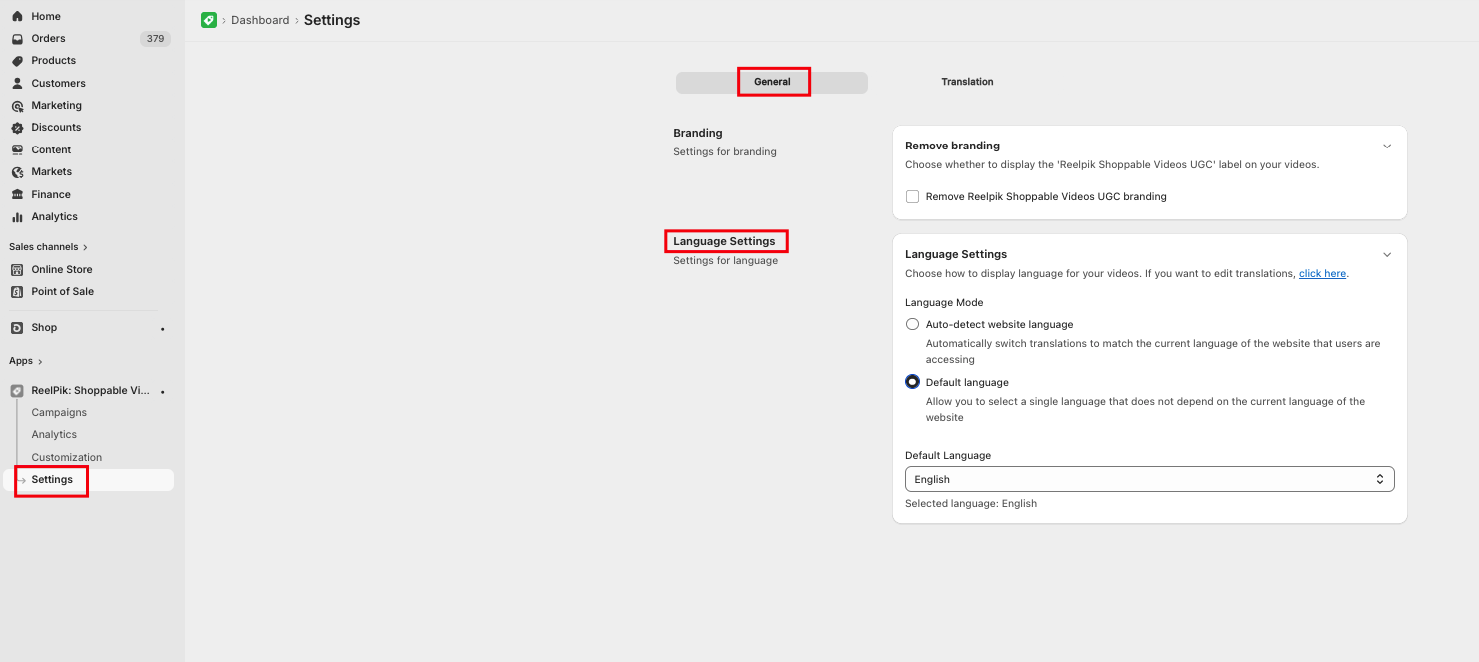
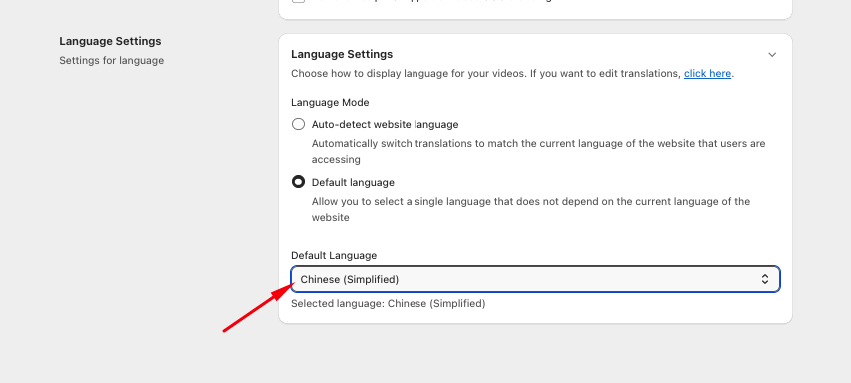
- Under Default Language, choose your preferred language from the dropdown menu.
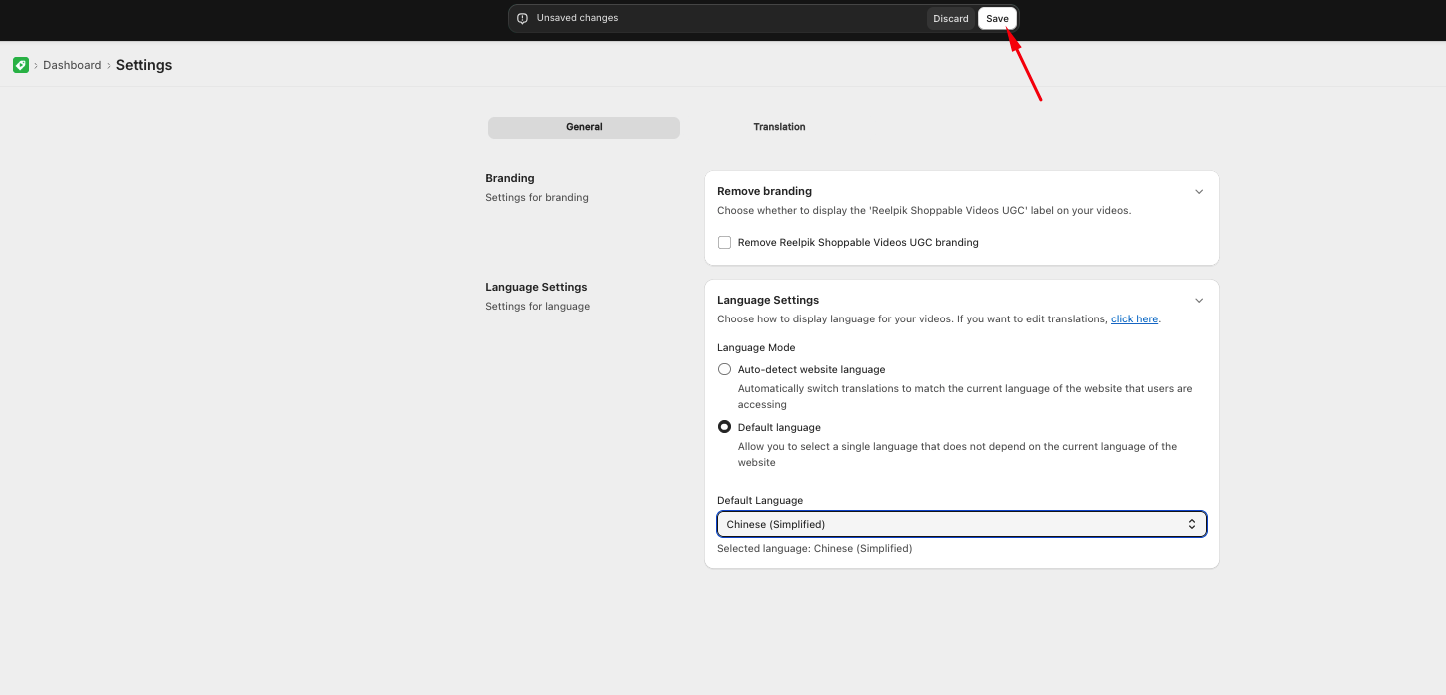
- Click Save.
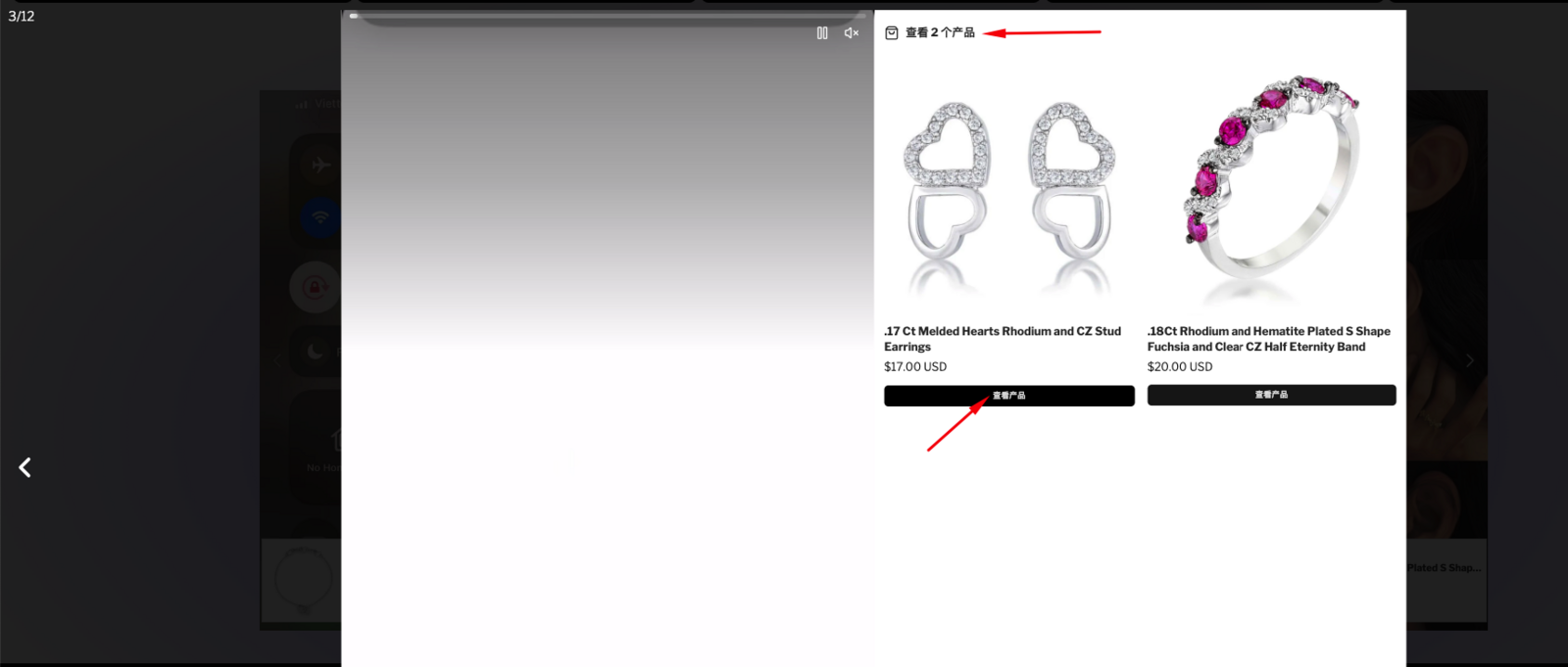
Note: To test this feature, go to your storefront and refresh the page twice to ensure the cache updates and the new language is displayed.
2. Auto-detect website language
If your Shopify store supports multiple languages and you sell worldwide, this feature ensures that ReelPik matches the language your customer is currently using on your site.
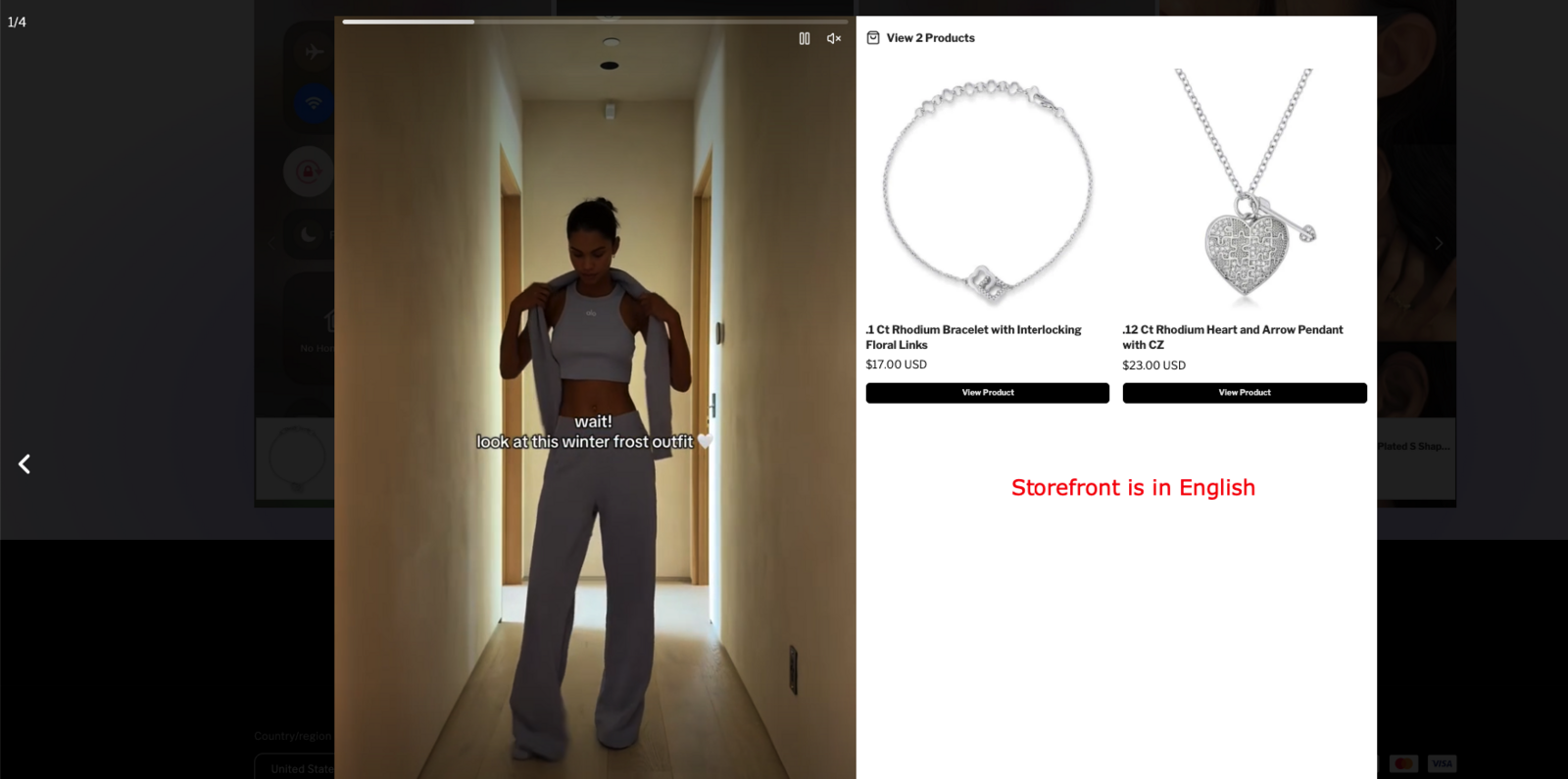
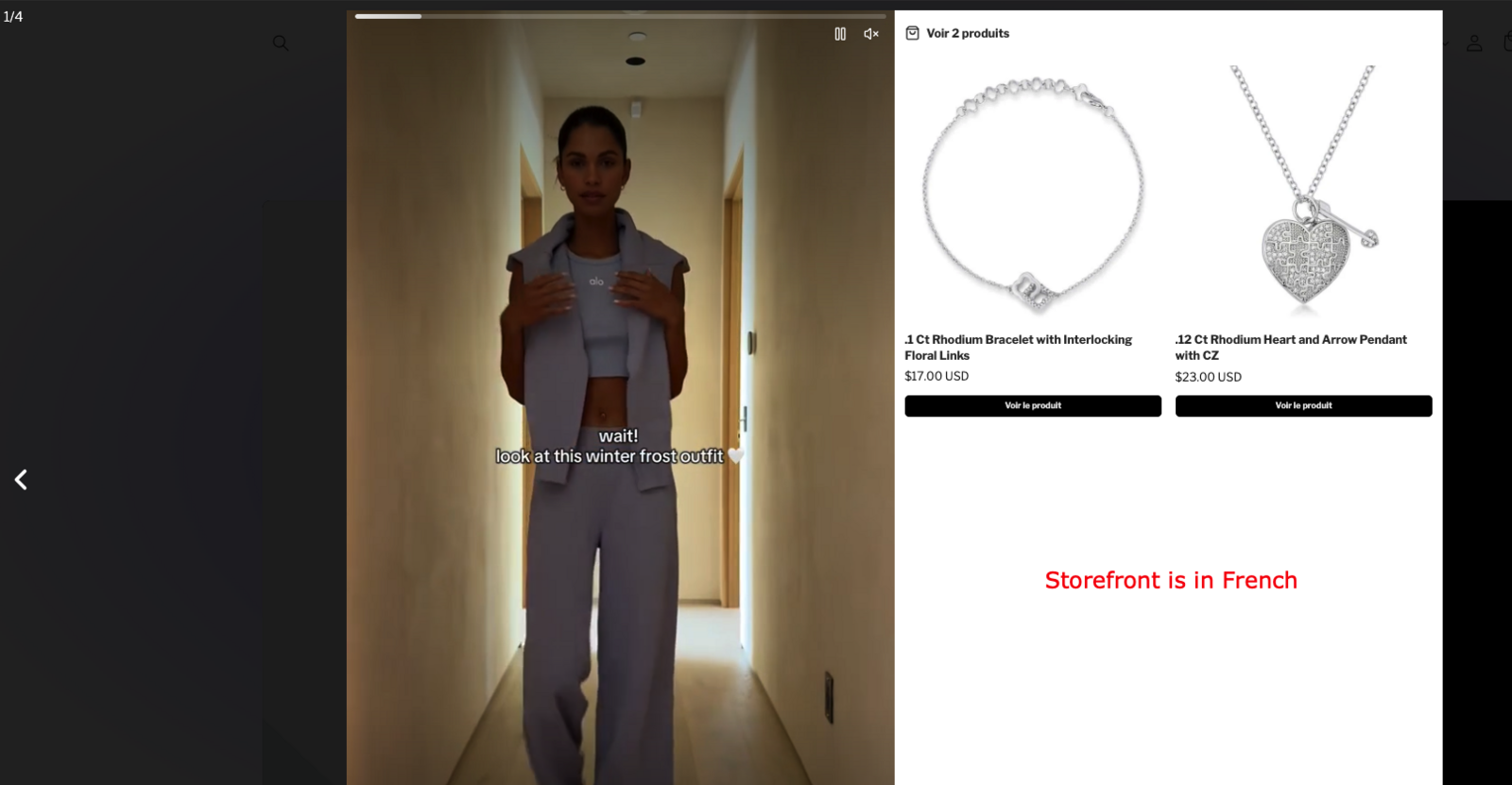
Example: If a customer from France views your site in French, the ReelPik widget text will automatically display in French.
This feature translates app-specific text (like "Add to Cart" buttons or "You may also like" headers). It does not translate product-specific data like descriptions or variants unless that data is already translated within your Shopify admin.
How to set it:
-
Navigate to Settings in the ReelPik app.
-
Go to General > Language Settings.
-
Select option: Auto-detect website language
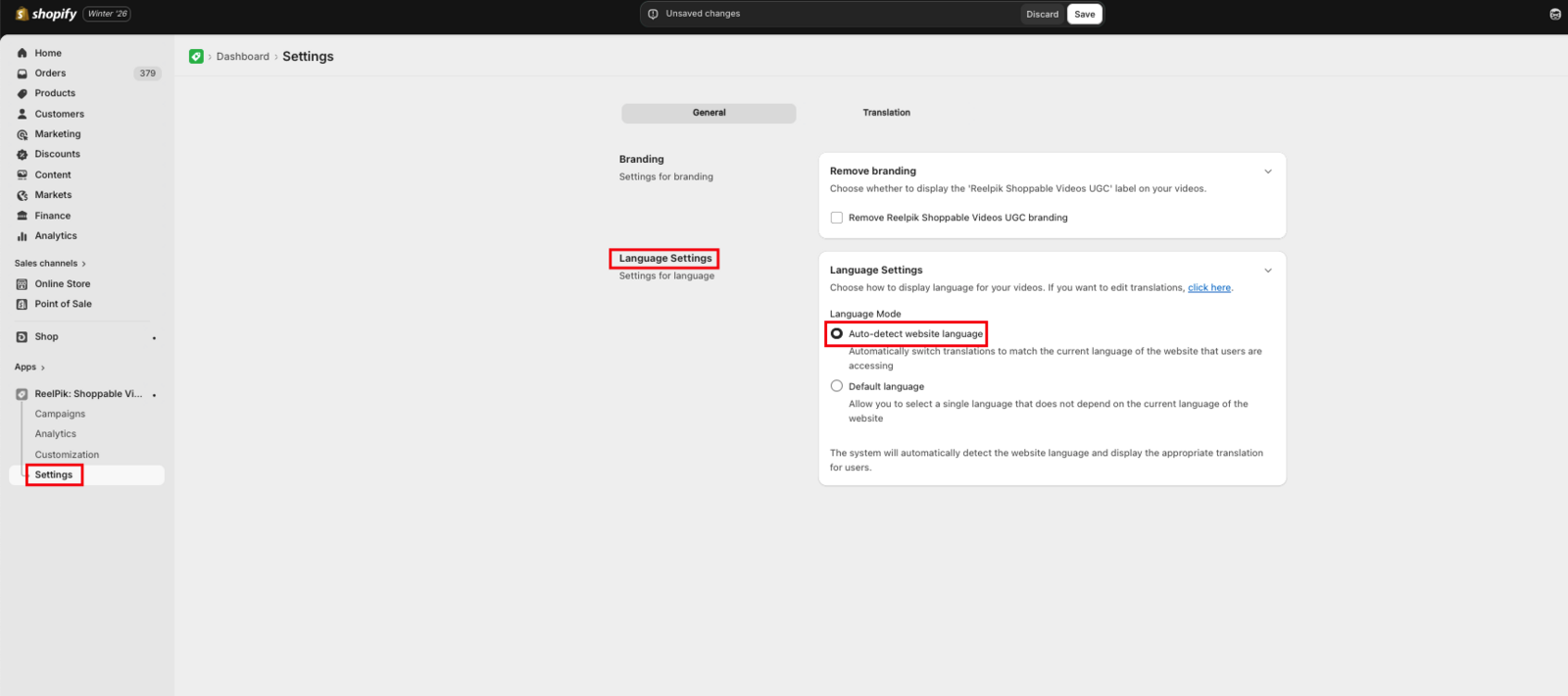
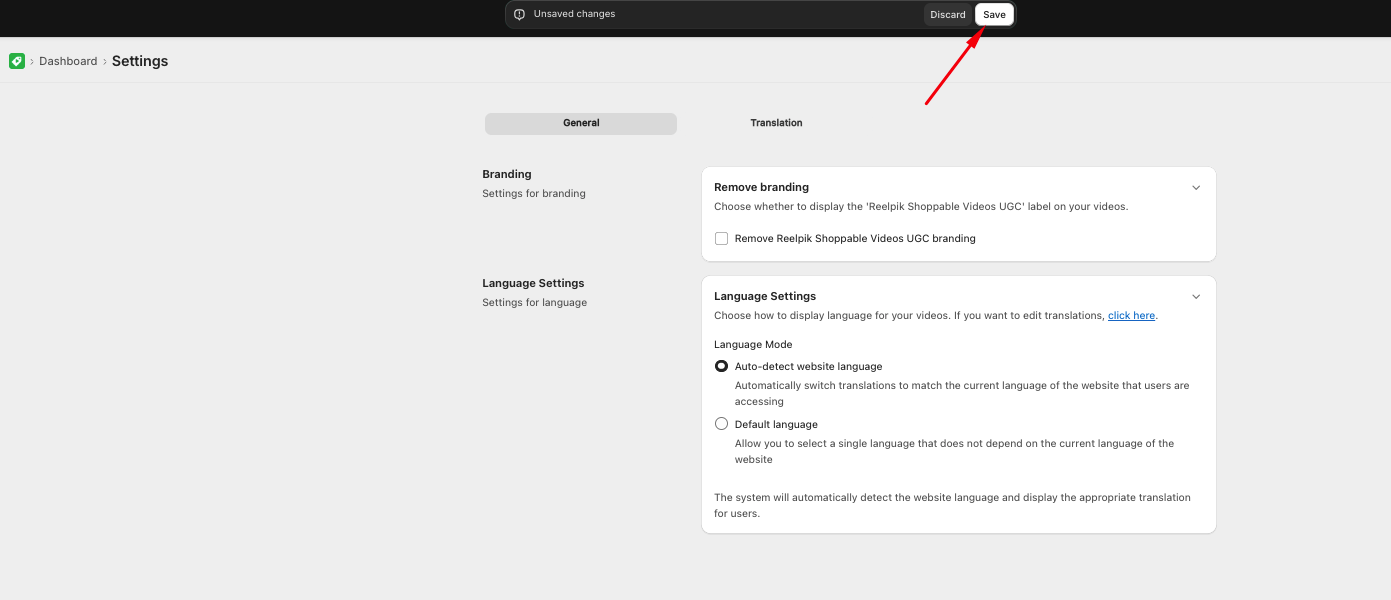
- Click Save.
To test this feature: Go to your storefront and refresh the page twice to ensure the cache updates and the new language is displayed.
🎁 Limited Time: Auto-detect website language for FREE!
Currently, the auto-detect website language feature is available for free to all ReelPik users. To unlock this advanced feature, simply contact our support team via live chat or email.
3. Manual translation (Edit text manually)
If the automatic translation doesn't perfectly match your brand's voice, you can manually edit any text string.
How to edit:
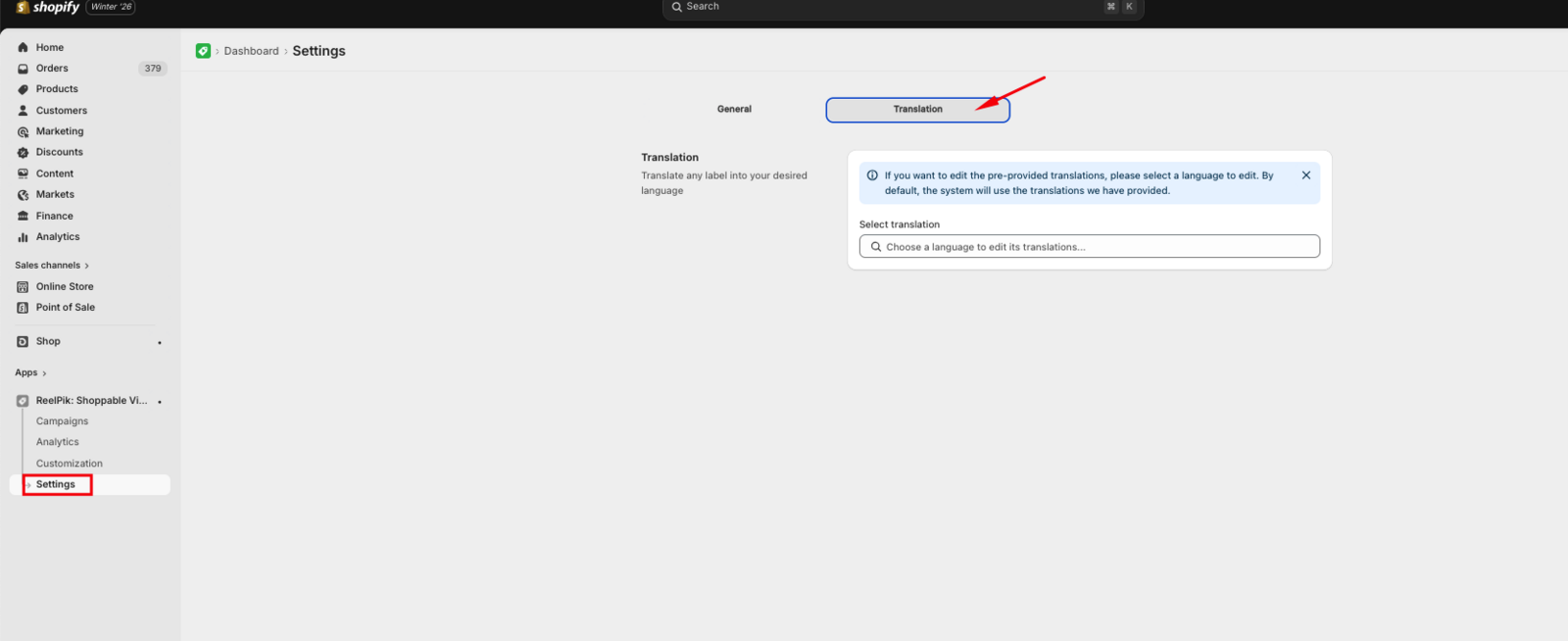
- Go to the Settings > Translation section.
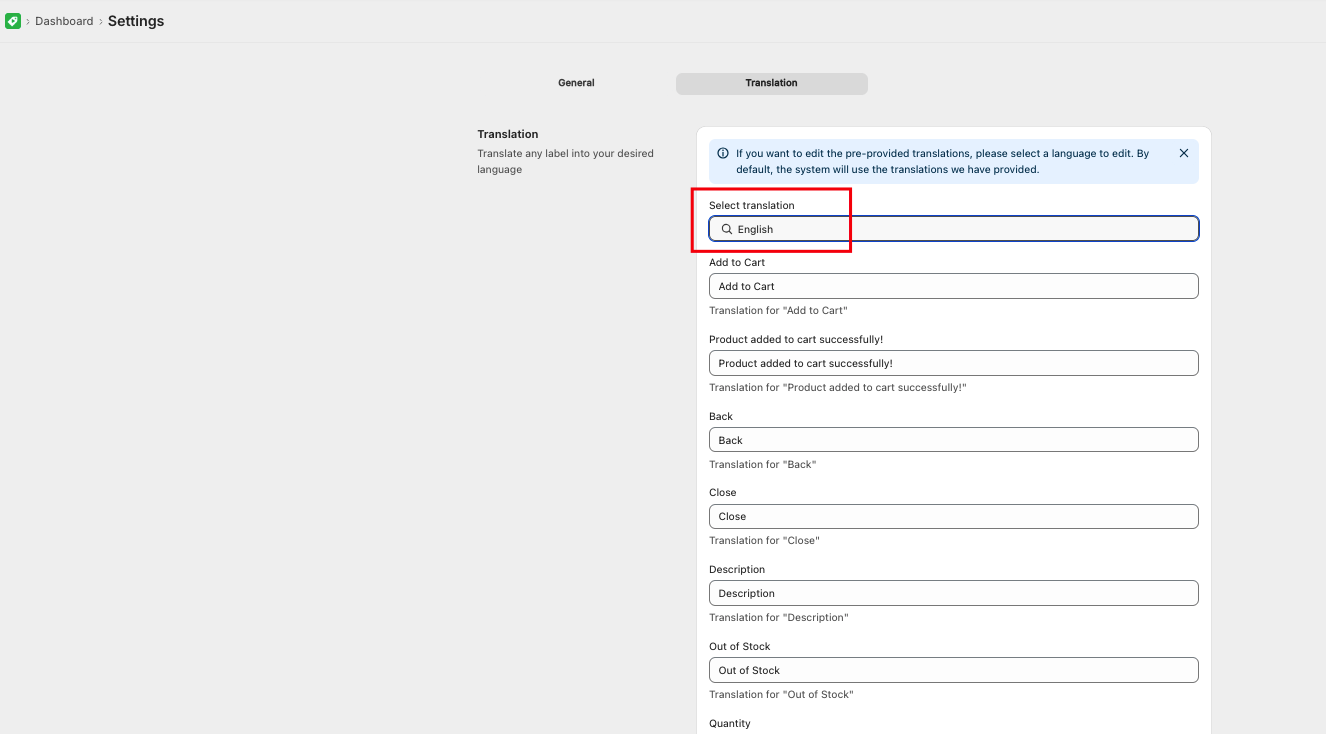
- Select the specific language you wish to edit.
- Locate the text field you want to change and enter your custom translation.
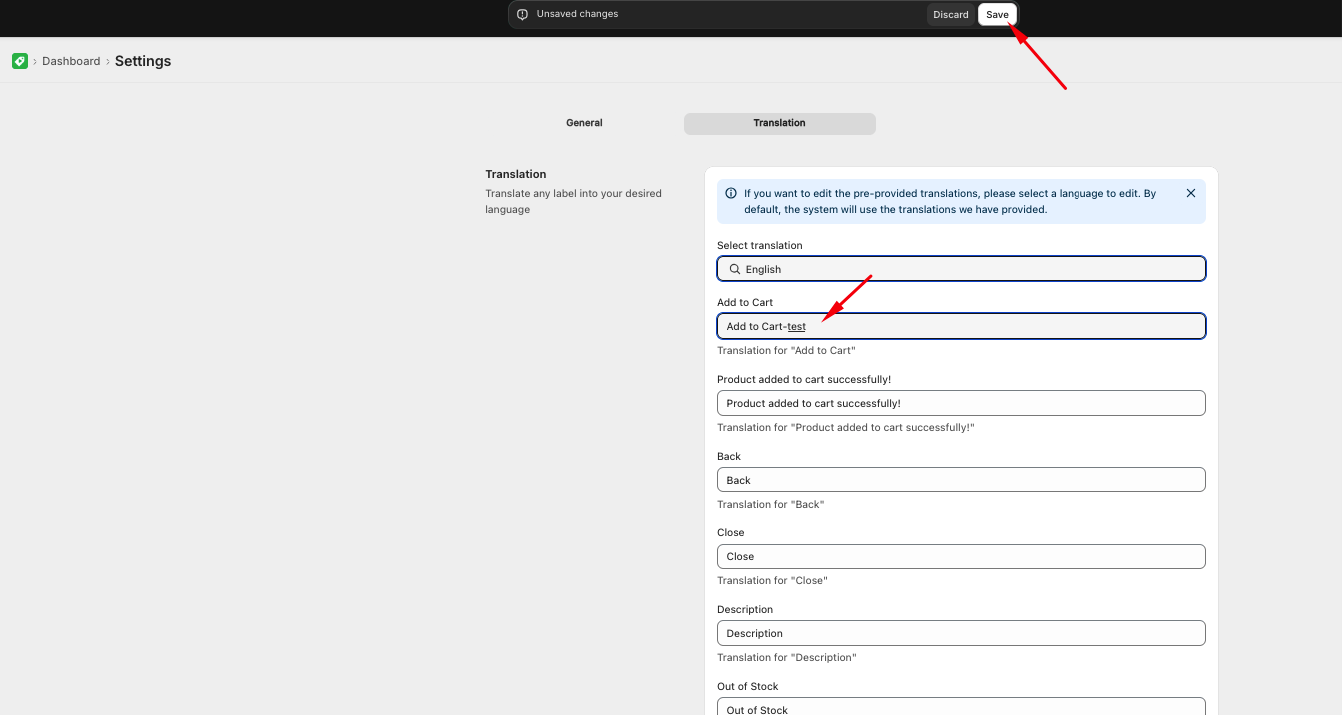
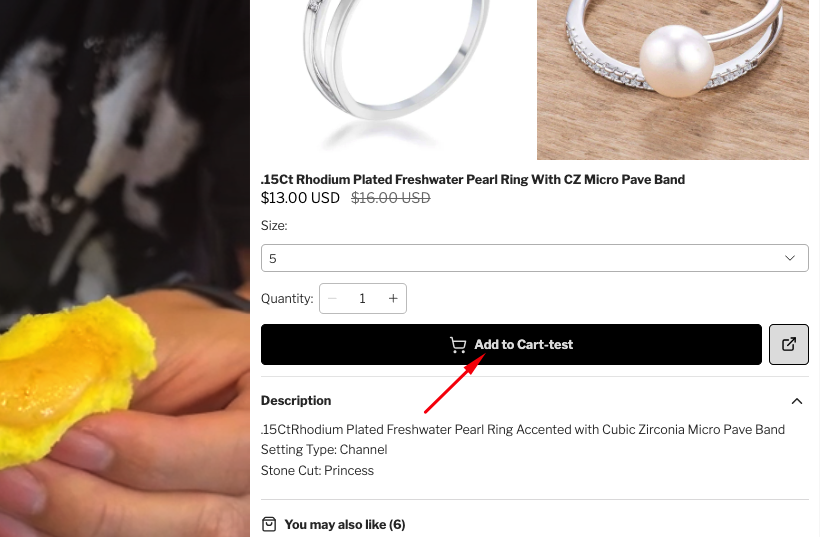
- Click Save to apply the changes.
We value your feedback — it helps us continuously improve our apps and provide you with a better experience.
🖥️ Demo store: Check out here with password: 1
👉 Chat with us: Share your feedback directly with our team.
👉 Email us: hi@reelpik.com
👉 Explore more apps: Discover more Fordeer apps.
👉 Join our community: Join ForDeer Community to get the latest updates, tips, and special deals.
🕐 Working hours: 8:30 AM – 5:00 PM (UTC+7), Monday–Friday.
We typically reply to live chats within minutes and emails within a few hours.
Need help? Feel free to reach out anytime via live chat or email!