
Overview
Video reviews are a great way to showcase your products through authentic experiences and give shoppers a more realistic view of how your products look and perform.
With Creator attribution and Caption on Videos, you can add more context to your videos and make your review content more engaging and trustworthy:
-
Creator attribution: Show where the video was imported from, such as Instagram or TikTok, together with the creator's account name.
-
Caption on Videos: Add a short caption to provide context, highlight the creator's experience, or share key information about the product.
See how to setup these 2 features in ReelPik.
Add captions to your videos
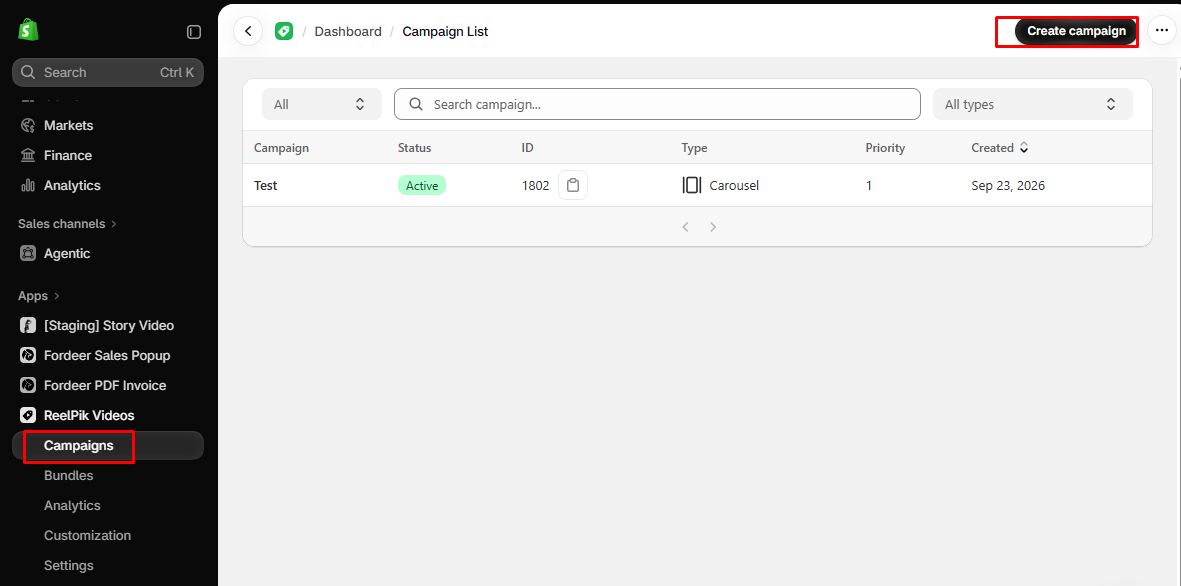
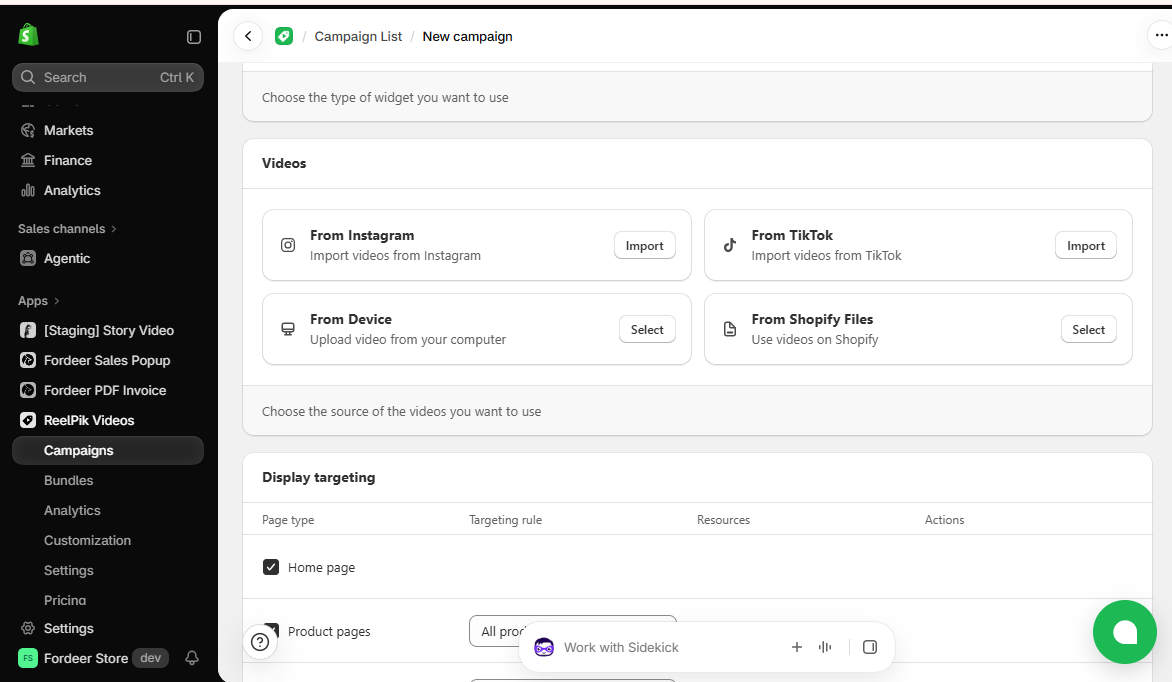
Step 1: Create a campaign and import videos (If you don’t have a campaign yet)
From your ReelPik dashboard:
-
Create a new campaign or open an existing campaign.
-
Import the videos you want to use for your review content.
Step 2: Add a caption to your video
-
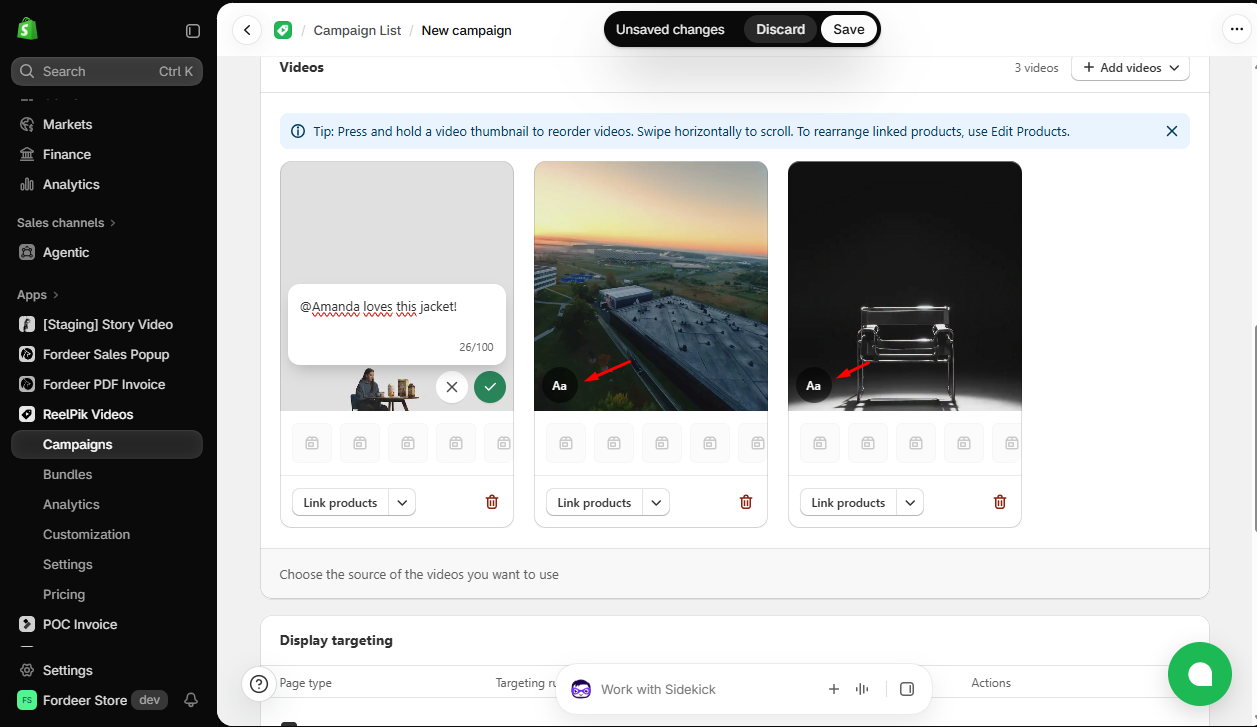
Find the video you want to edit.
-
Click the Text Edit icon on the video.
-
Enter your caption.
Note: Captions can contain up to 100 characters.
Step 3: Save the caption and campaign
-
Save the caption.
-
Click Save to save your campaign.
Your caption will now be displayed with the video when it appears on your storefront.
Part 2: Show creator information with Creator attribution
Creator attribution helps shoppers identify the source of your imported content by showing the platform and account name associated with the video.
Step 1: Enable Creator attribution
-
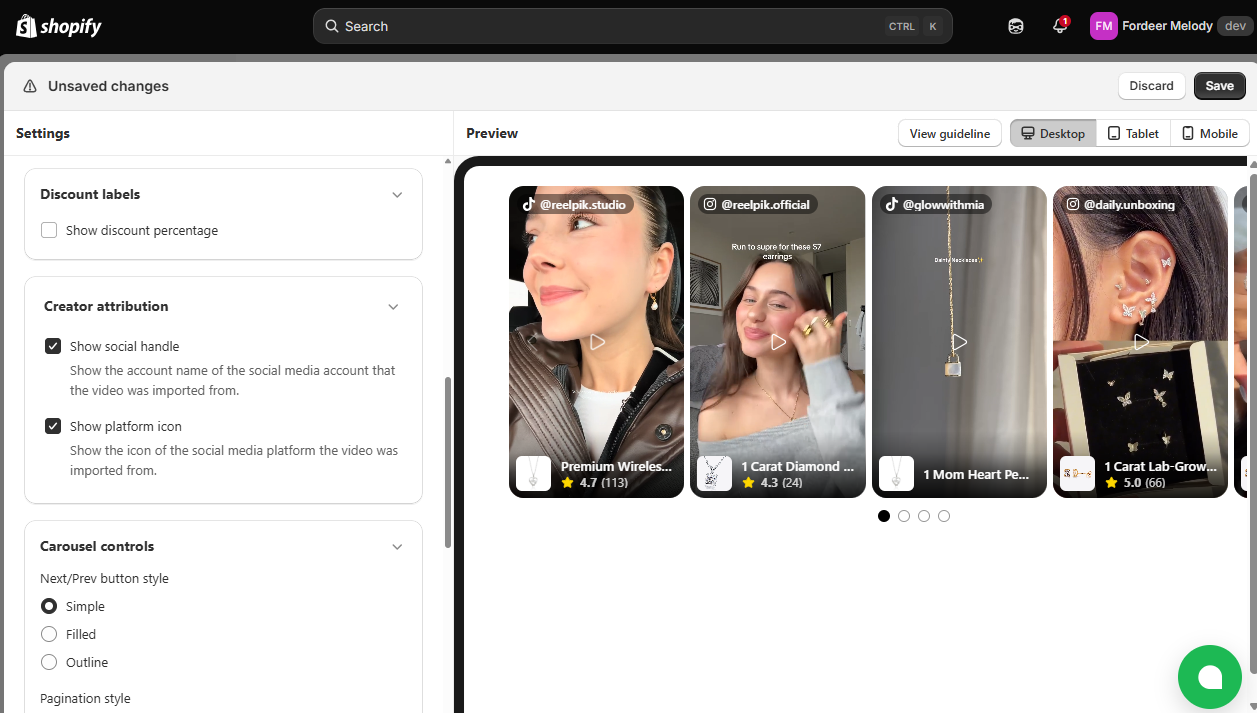
Go to Customization.
-
Select the widget type corresponding to the campaign you created.
-
Find Creator attribution .
-
Enable the checkbox to turn it on.
Step 2: Save your settings
Click Save to apply the changes to your storefront.
Once enabled, the video can display information such as the source platform and the creator's account name.
Note: Creator attribution information is only available for videos imported after this feature update, starting from October 3, 2026. Videos imported before this date will not display Creator attribution information.
💡 Tip: Use both features together for better review content
For creator or customer review videos, we recommend enabling both features:
-
Creator attribution shows where the video came from and who created it.
-
Caption on videos lets you add additional context or a short review message.
Together, they can help make your video content feel more informative and authentic to shoppers.
We value your feedback — it helps us continuously improve our apps and provide you with a better experience.
🖥️ Demo store: Check out here with password: 1
👉 Chat with us: Share your feedback directly with our team.
👉 Email us: hi@reelpik.com
👉 Explore more apps: Discover more Fordeer apps.
👉 Join our community: Join ForDeer Community to get the latest updates, tips, and special deals.
🕐 Working hours: 8:30 AM – 5:00 PM (UTC+7), Monday–Friday.
We typically reply to live chats within minutes and emails within a few hours.
Need help? Feel free to reach out anytime via live chat or email!