

Overview
The Bundle in Video Player feature lets you showcase multiple related products alongside your videos, making it easier for customers to purchase several items together.
You can:
-
Offer bundle discounts to increase average order value (AOV).
-
Allow customers to purchase products individually or as a complete bundle.
-
Display promotional messages to encourage bundle purchases.
-
Schedule bundles with start and end dates.
How to configure a Bundle in Video Player
Step 1: Open your campaign
-
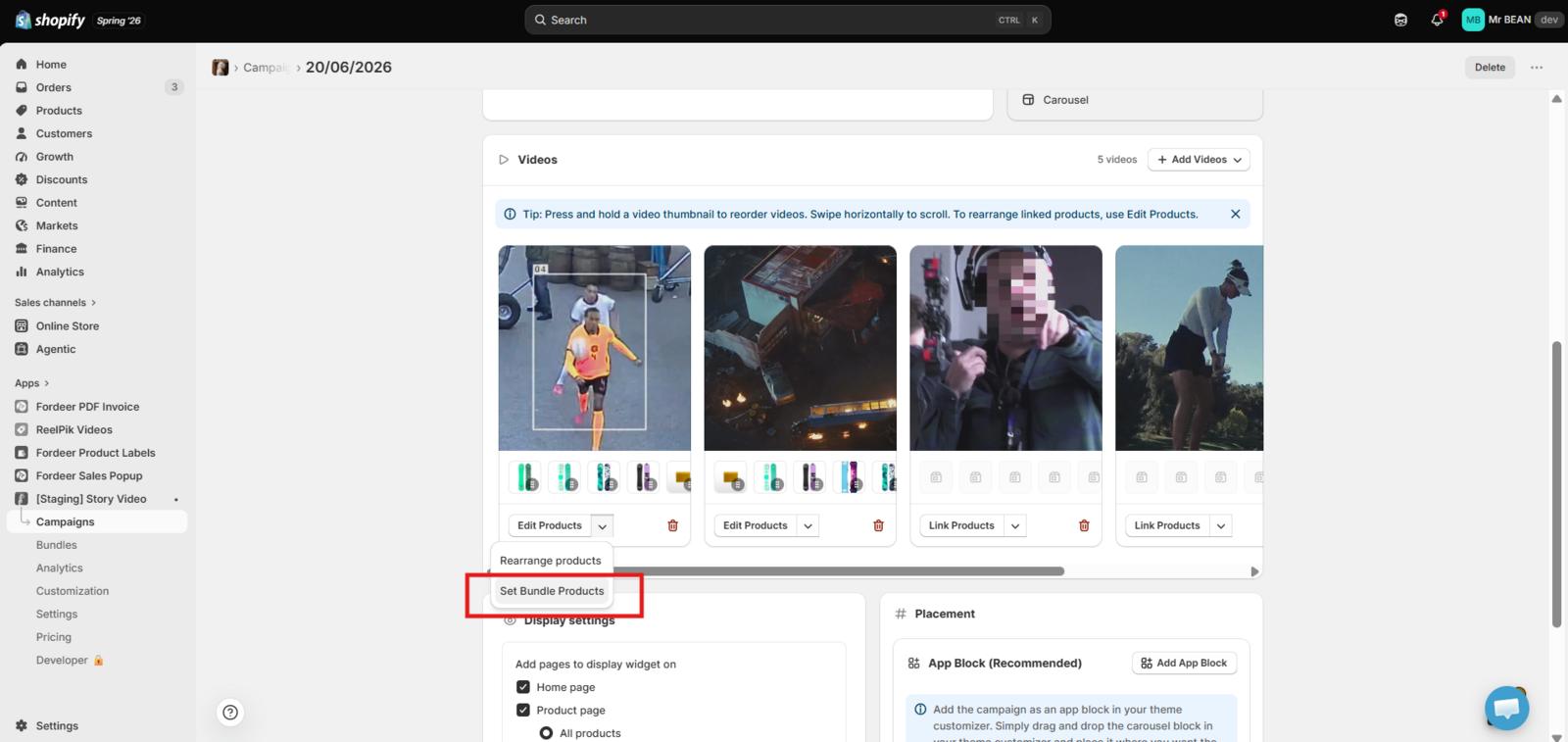
Go to ReelPik Videos app → Campaigns.
-
Open the campaign you want to edit or create a new one.
-
On the video card, click the ▼ dropdown next to Edit Products.
-
Select Set Bundle Products.
Step 2: Configure bundle settings
Customize the bundle to align with your sales strategy.
Enable Add-to-Cart Bundle
Turn on Enable add-to-cart bundle to allow customers to add bundle products directly from the video player.
Individual Purchase
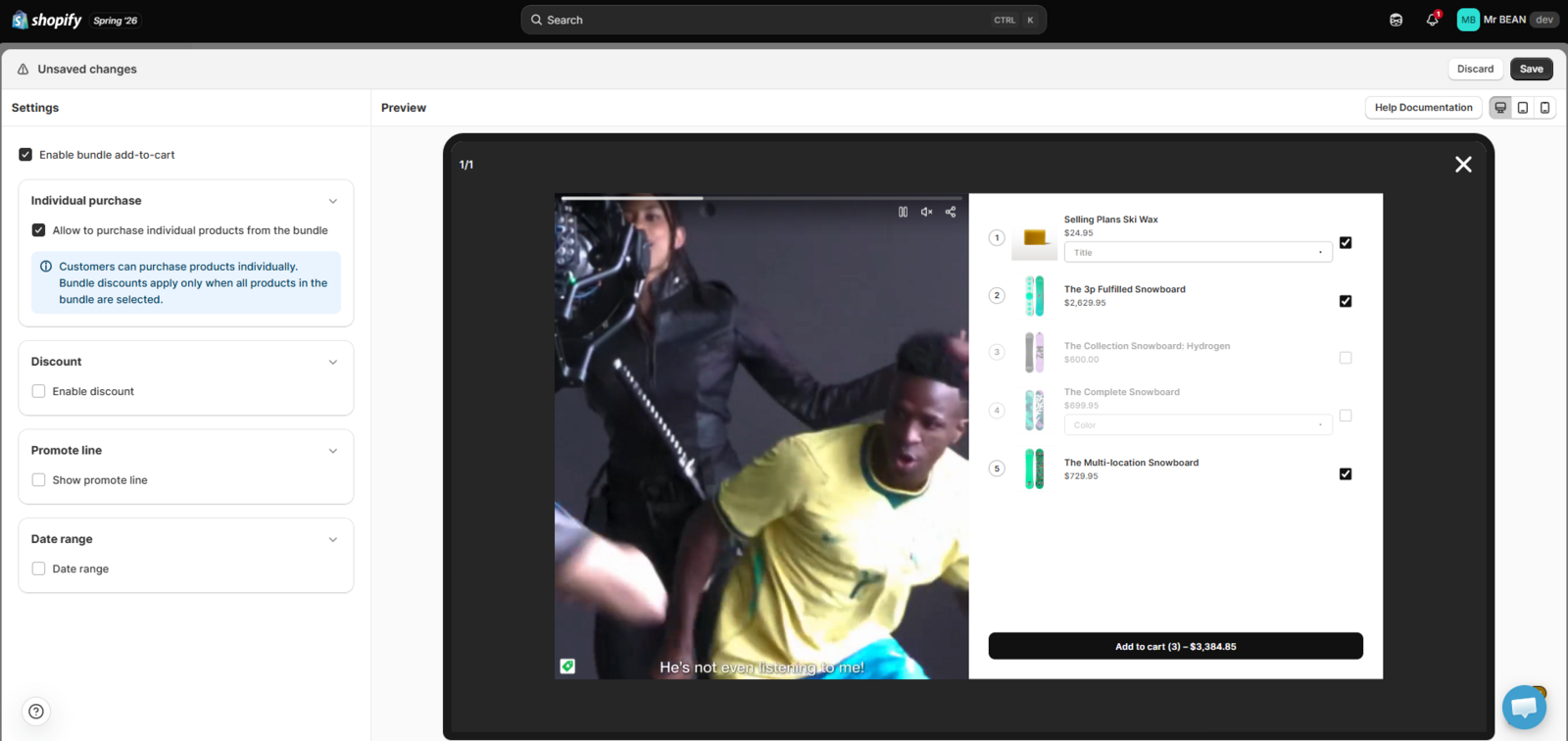
Enable Allow to purchase individual products from the bundle if you'd like customers to buy products separately.
Note: Bundle discounts are only applied when customers purchase the complete bundle.
Bundle Discount + Promote Line
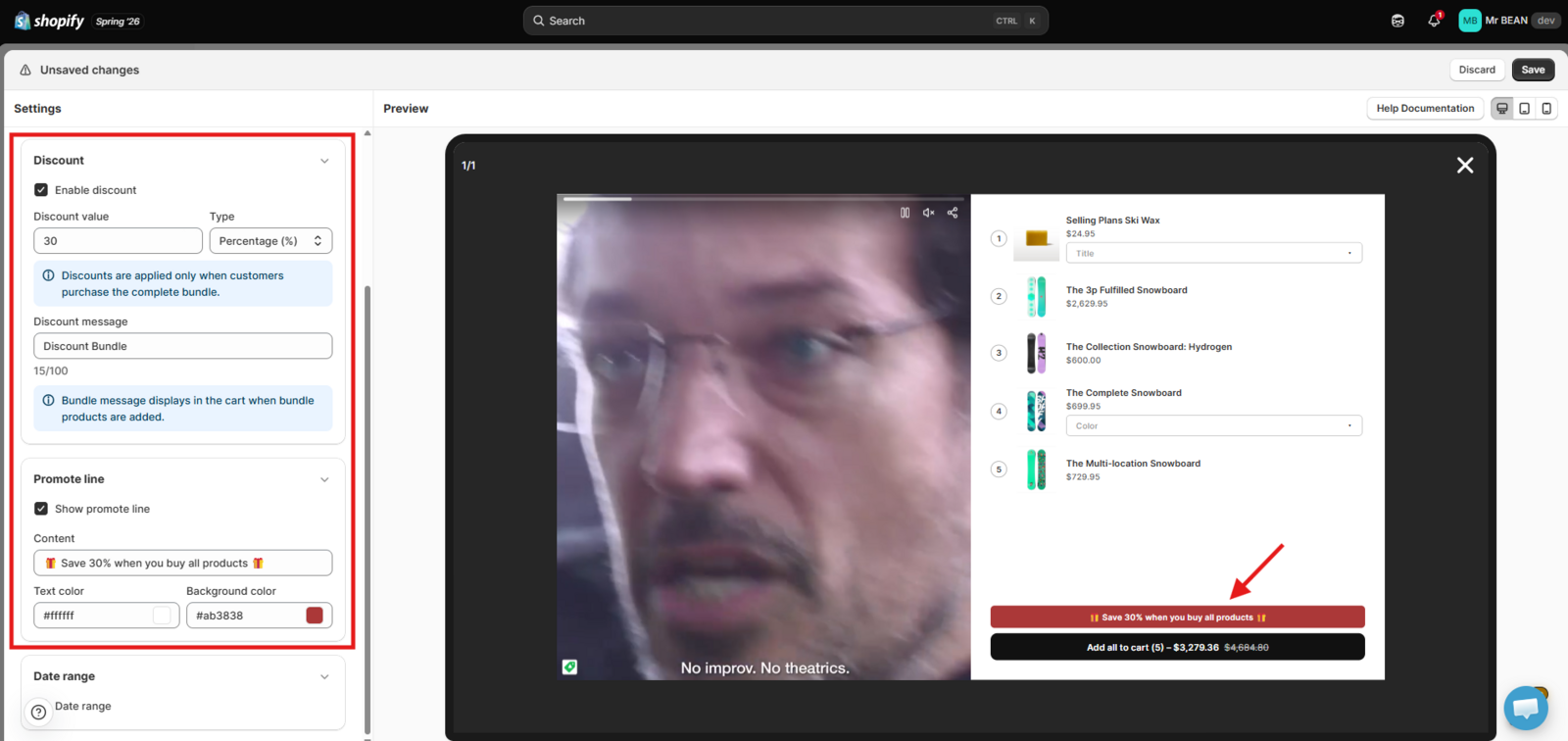
To offer a discount:
-
Enable Discount.
-
Enter the Discount value.
-
Choose the discount type:
-
Percentage (%)
-
Fixed amount
- Customize the Discount message displayed in the cart.
Don't forget to enable the Promotion line to display a promotional banner above the bundle, creating a sense of urgency and encouraging more conversions.
Example: Save 30% when you buy the bundle!
Date Range
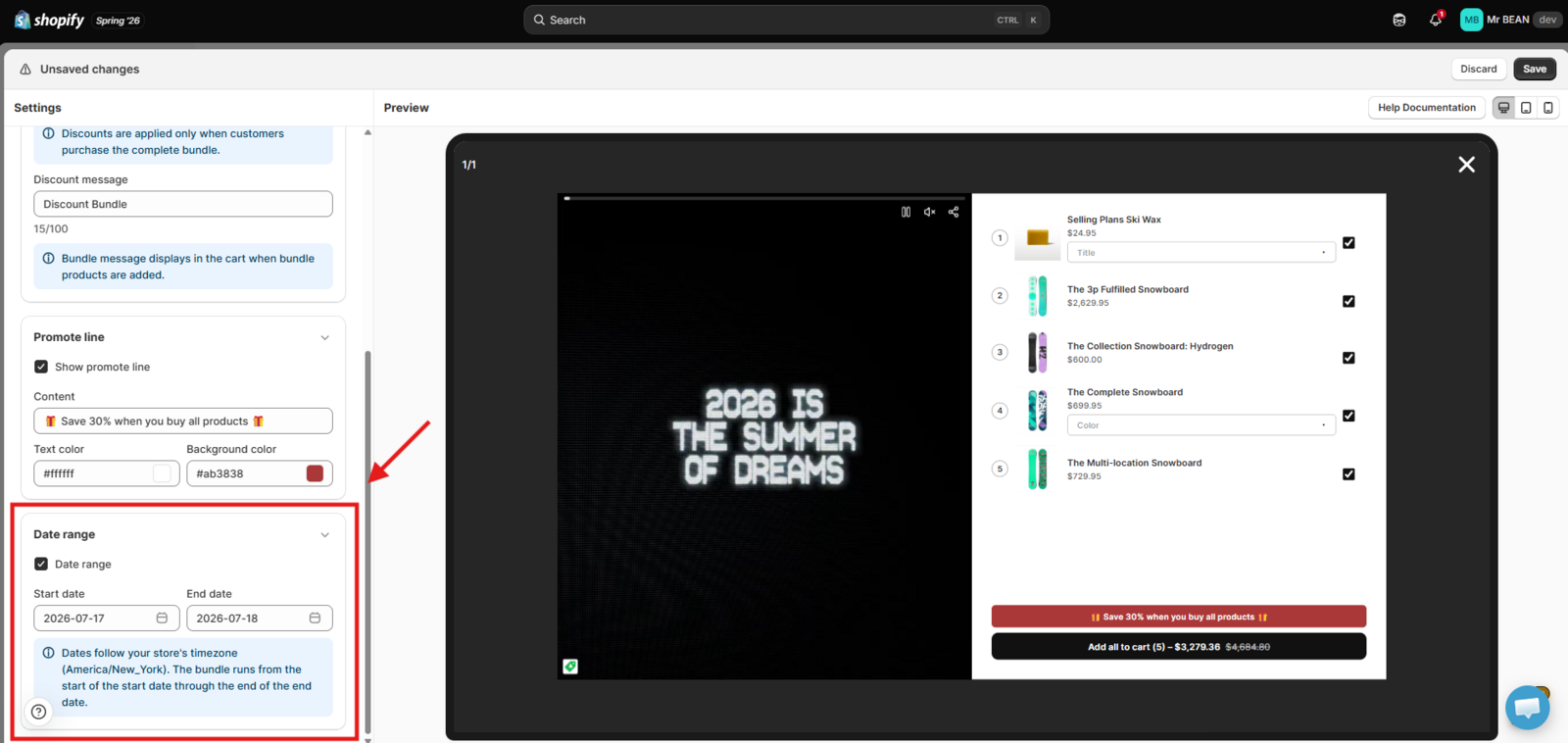
Schedule when the bundle is available.
-
Select a Start date.
-
Select an End date.
The bundle promotion will only be active during the selected period.
Step 3: Save your changes
Click Save to publish your bundle configuration.
Use the preview panel to verify how the bundle will appear inside the video player before making it live.
You can manage your bundle campaigns by navigating to the Bundles tab in the left sidebar.
Notes
-
Bundle discounts only apply when all products in the bundle are purchased.
-
Customers can still purchase individual products if Individual Purchase is enabled.
-
You can combine promotional messages with discounts to encourage higher-value purchases.
-
Always review the live preview before saving to ensure the bundle appears as expected.
We value your feedback — it helps us continuously improve our apps and provide you with a better experience.
🖥️ Demo store: Check out here with password: 1
👉 Chat with us: Share your feedback directly with our team.
👉 Email us: hi@reelpik.com
👉 Explore more apps: Discover more Fordeer apps.
👉 Join our community: Join ForDeer Community to get the latest updates, tips, and special deals.
🕐 Working hours: 8:30 AM – 5:00 PM (UTC+7), Monday–Friday.
We typically reply to live chats within minutes and emails within a few hours.
Need help? Feel free to reach out anytime via live chat or email!