

Overview
You can choose whether to display the product price and compare-at price in your shoppable videos.
These options are managed in the Player settings and are shared across your video experience. Changes made here also apply to product information displayed directly in storefront widgets, such as the Carousel Widget.
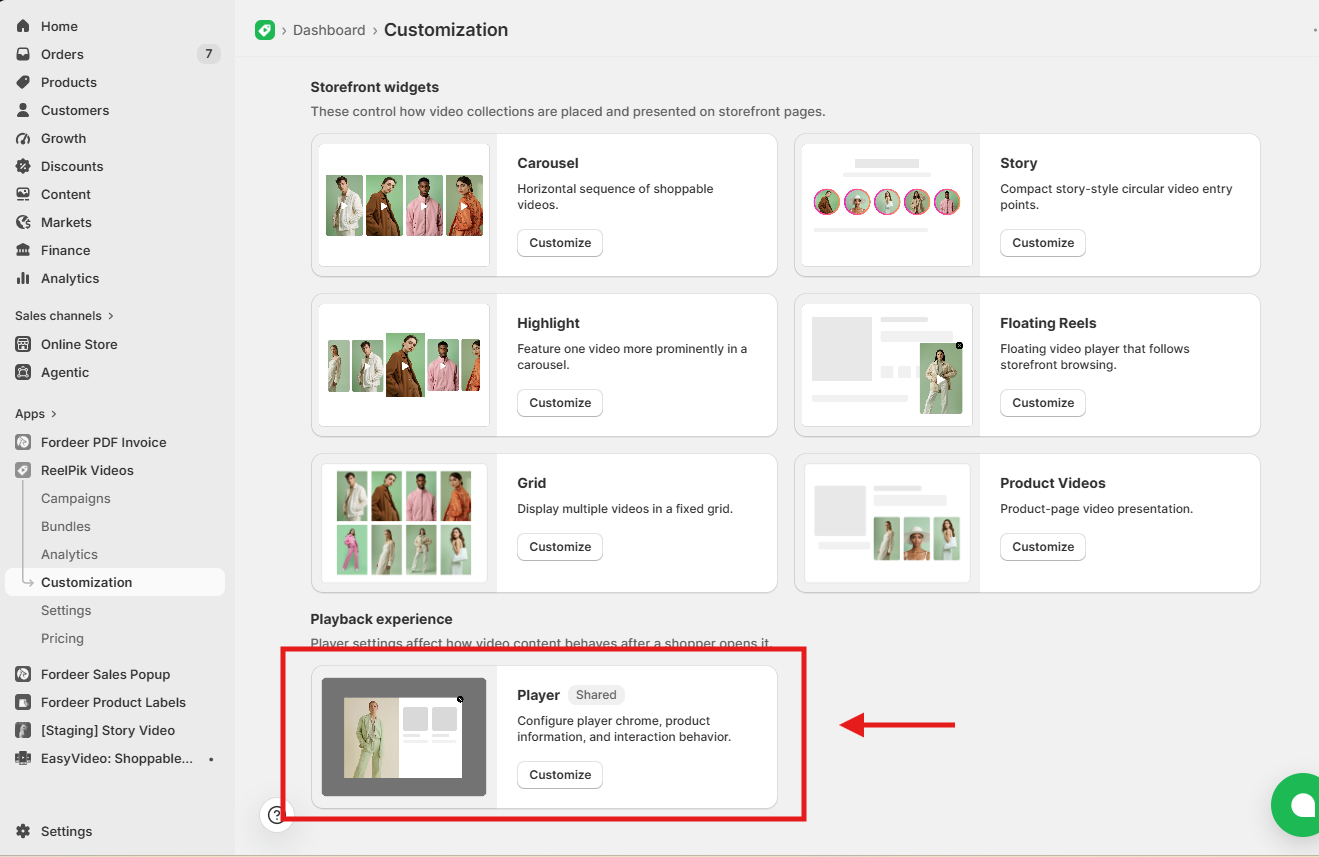
Step 1: Open Player customization
From your ReelPik dashboard:
-
Go to Customization.
-
Scroll down to Playback experience.
-
Find Player and click Customize.
Step 2: Open Product card settings
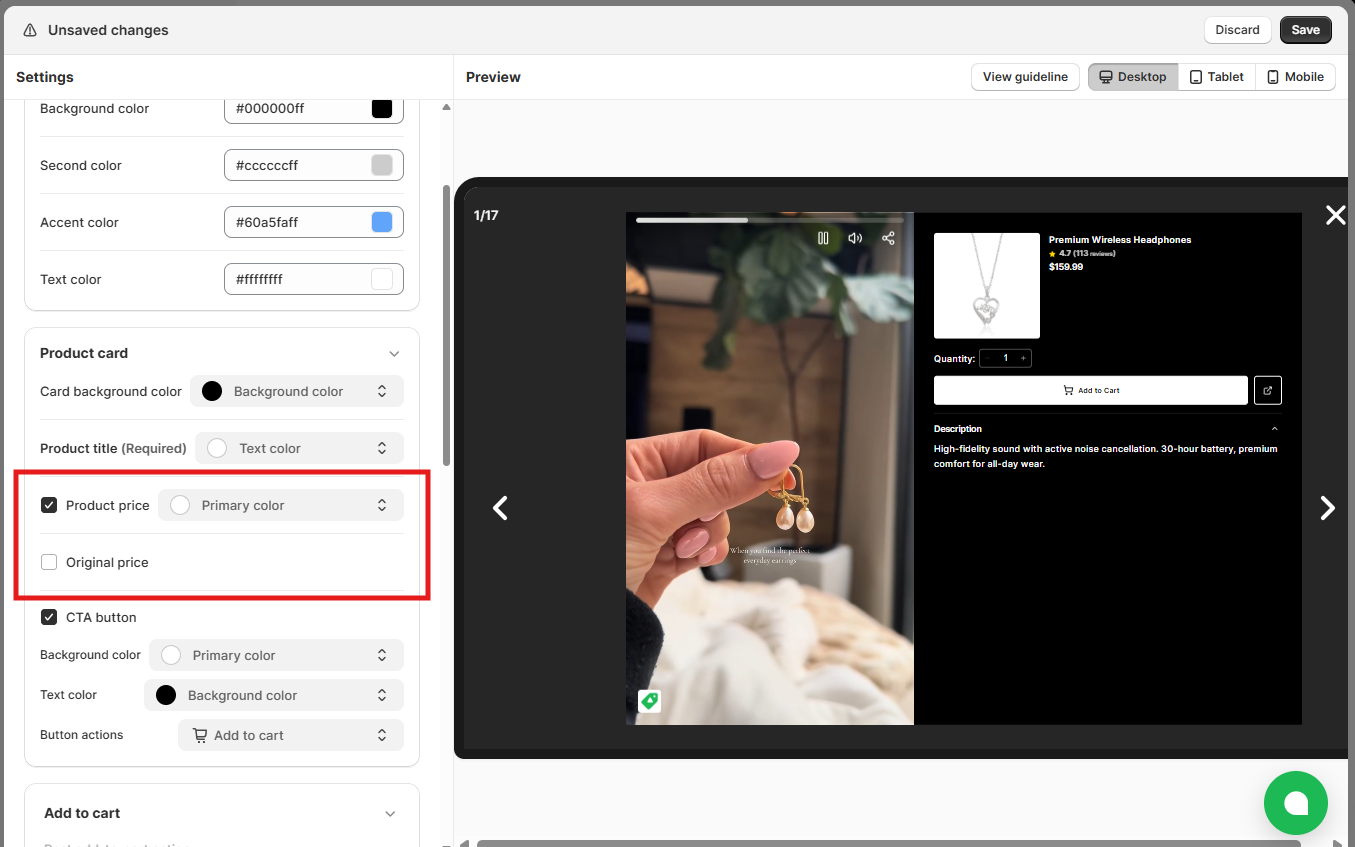
In the Player customization page, find the Product card section in the left sidebar.
Here, you can control the product information shown to shoppers, including:
-
Product title
-
Product price
-
Original price
-
CTA button
Step 3: Show or hide the product price
Find Product price under Product card.
-
Check the option to show the product price.
-
Uncheck the option to hide the product price.
You can preview the changes on the right side of the screen.
Step 4: Show or hide the compare-at price
Find Original price under Product card.
The Original price represents the product's compare-at price in Shopify.
-
Check the option to show the compare-at price.
-
Uncheck the option to hide the compare-at price.
Note: The compare-at price will only appear when the product has a valid compare-at price configured in Shopify.
Step 5: Save your changes
Once you're happy with the settings, click Save to apply your changes.
Important: Product price and Original price are shared settings. Although you configure them under Player, these settings also control product prices displayed directly in supported storefront video widgets.
We value your feedback — it helps us continuously improve our apps and provide you with a better experience.
🖥️ Demo store: Check out here with password: 1
👉 Chat with us: Share your feedback directly with our team.
👉 Email us: hi@reelpik.com
👉 Explore more apps: Discover more Fordeer apps.
👉 Join our community: Join ForDeer Community to get the latest updates, tips, and special deals.
🕐 Working hours: 8:30 AM – 5:00 PM (UTC+7), Monday–Friday.
We typically reply to live chats within minutes and emails within a few hours.
Need help? Feel free to reach out anytime via live chat or email!