

Overview
The Snippet Code feature allows you to manually display a ReelPik video section on your storefront by inserting a snippet into your Shopify theme. This gives you greater flexibility to place the video section exactly where you want, especially for vintage themes that do not support Shopify App Blocks.
How to add the snippet code
Step 1: Open your campaign and copy the code
-
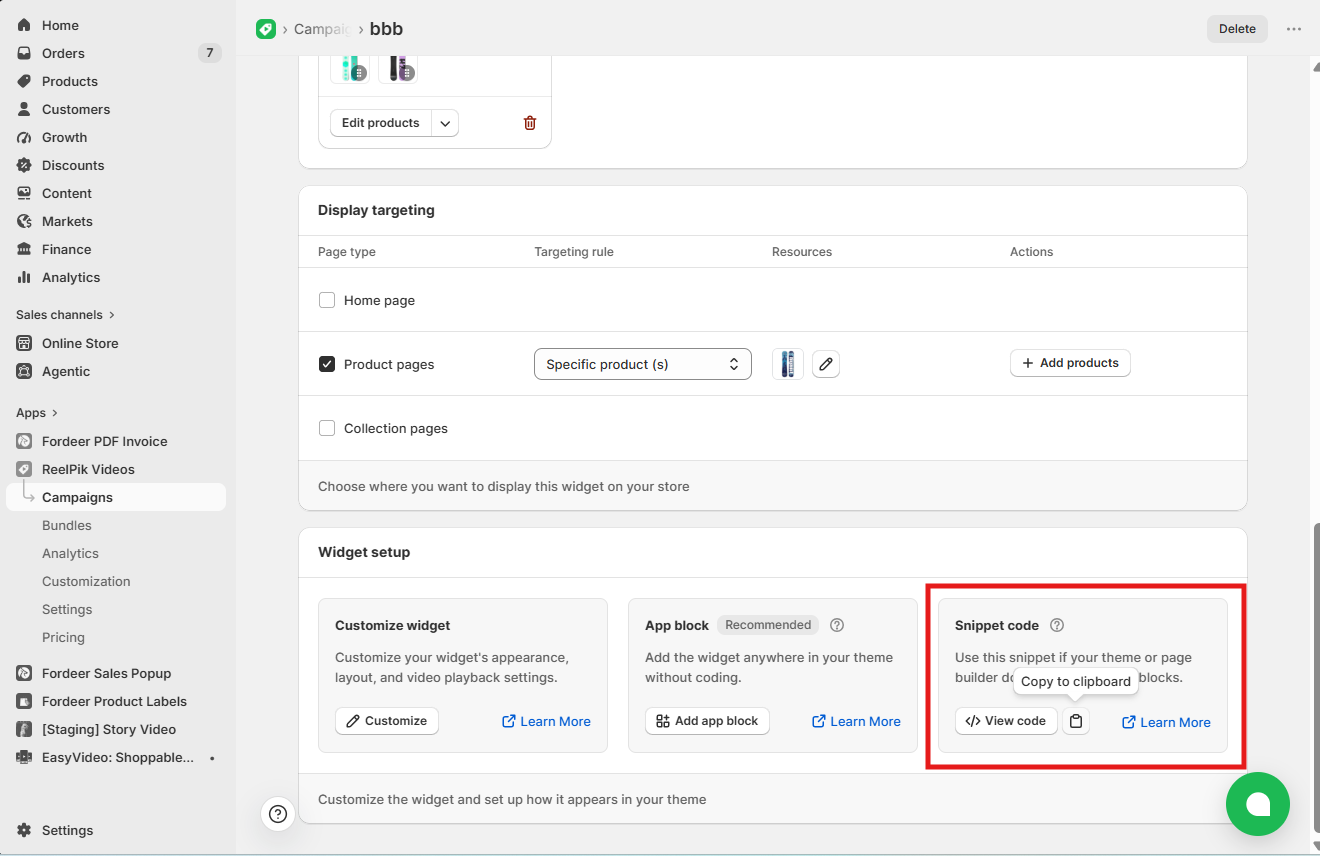
Go to ReelPik Videos → Campaigns.
-
Open the campaign you want to display.
-
Copy the campaign snippet.
Step 2: Enable the app embed
-
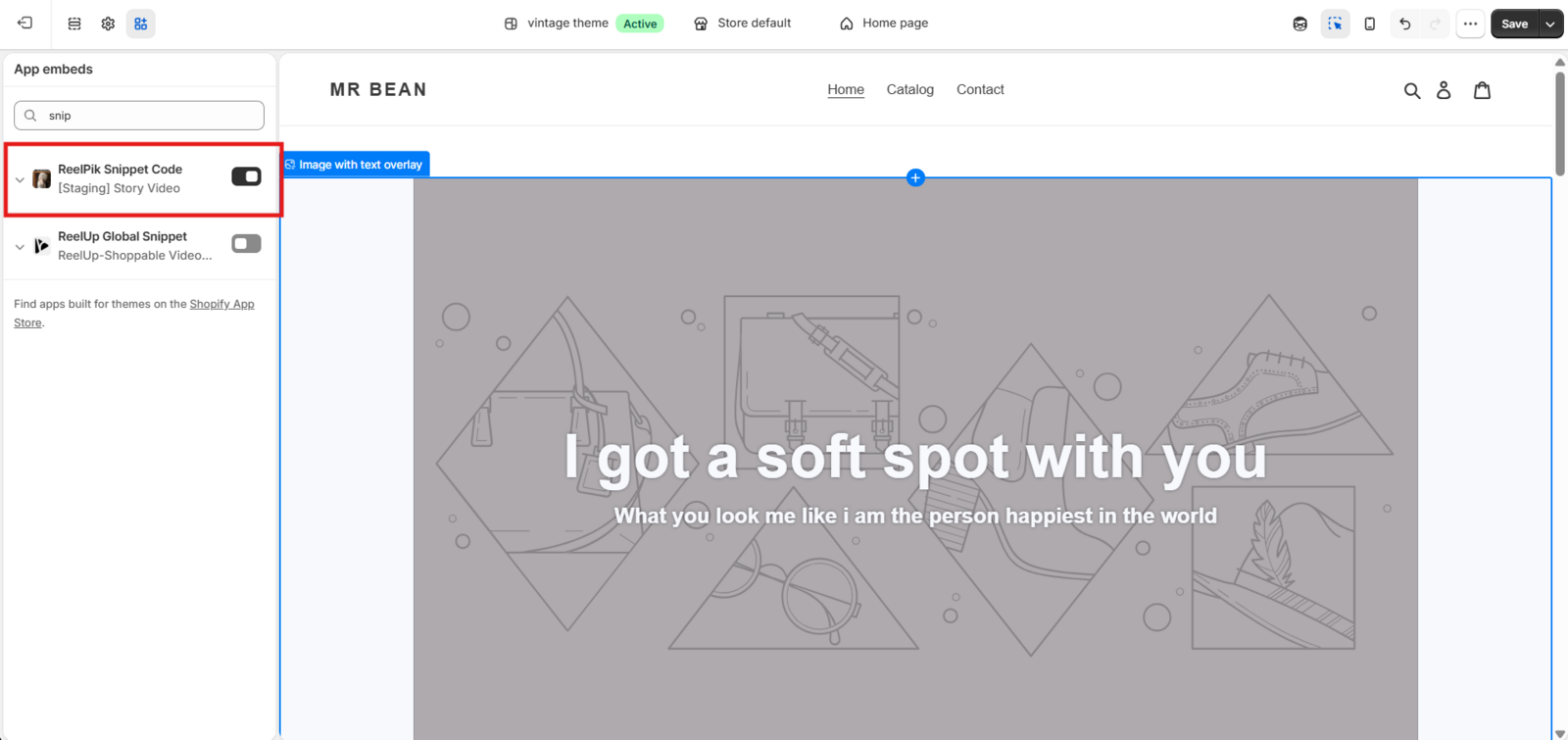
Go to Online Store → Themes → Customize.
-
Click the App embeds icon in the left sidebar.
-
Enable ReelPik Videos.
-
Click Save.
The App Embed must be enabled for the video section to work properly.
Step 3: Edit your theme code
-
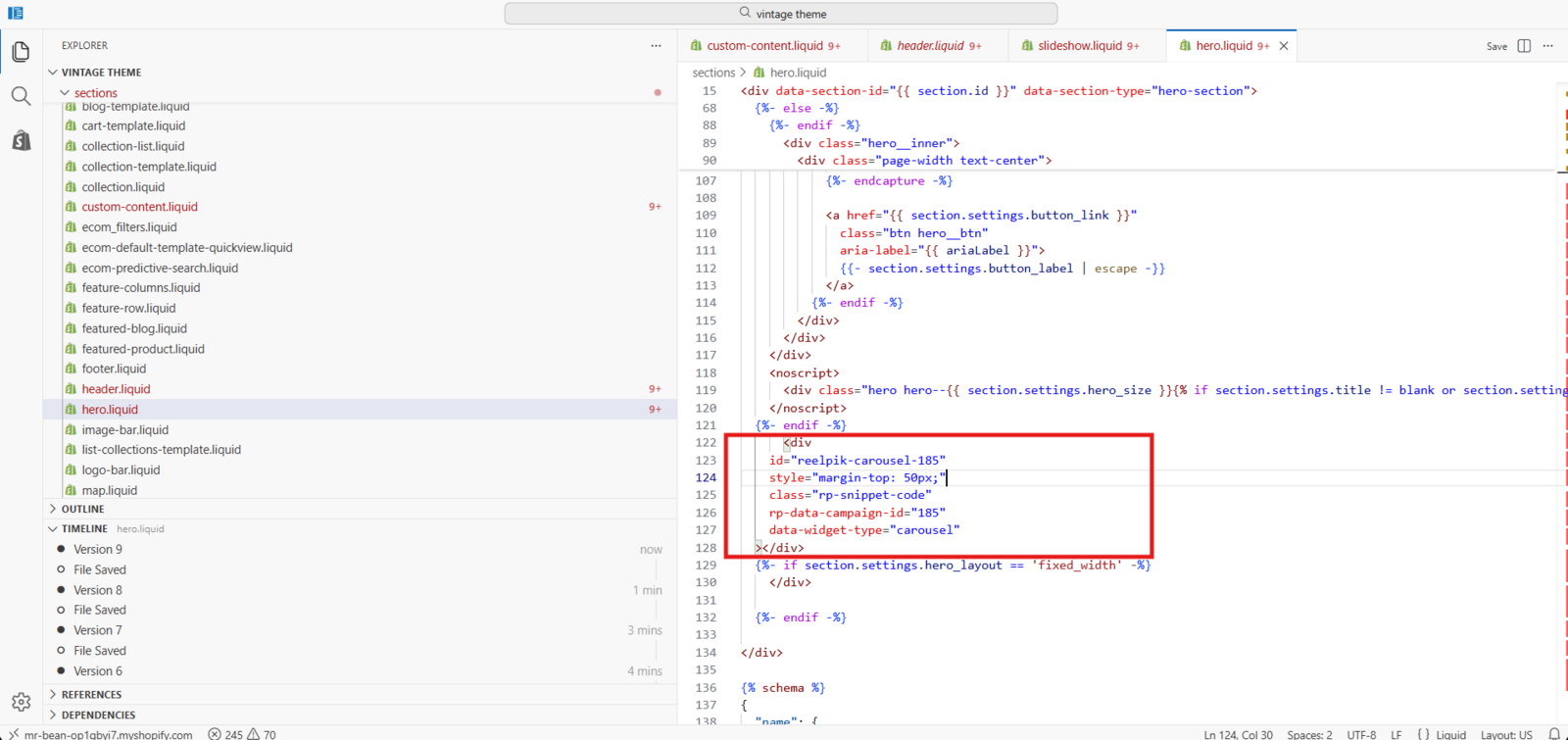
Go to Online Store → Themes → Click ••• → Edit code on your published theme.
-
Open the Liquid file where you want the video section to appear.
-
Paste the copied snippet into the desired location.
-
Click Save.
You can adjust the spacing by edting the snippet code. Example: "style="margin-top: 50px;"
Step 4: Verify the video section
-
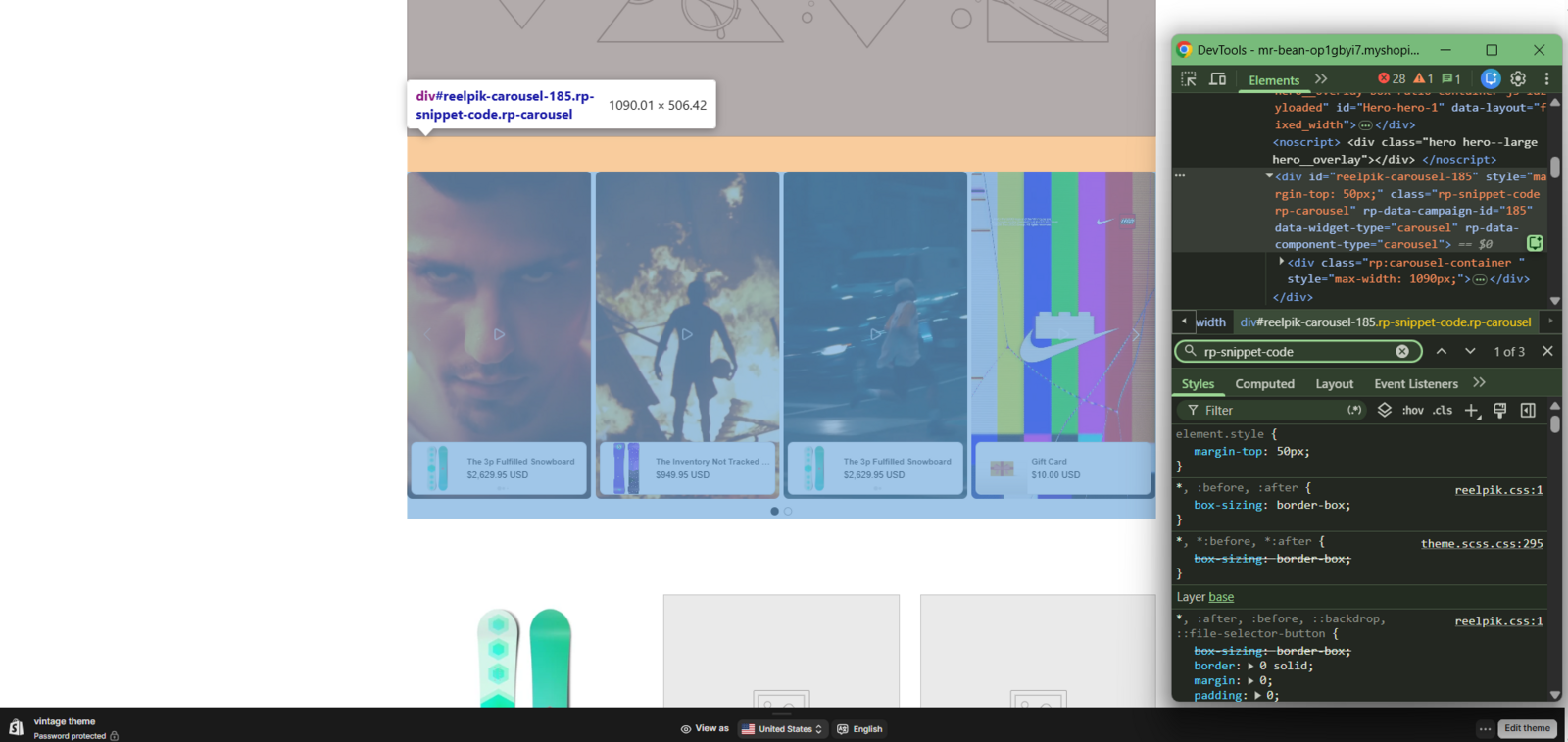
Refresh your storefront.
-
Confirm that the video section appears in the expected location.
-
If necessary, move the snippet to a different position in the Liquid file to adjust where the video section is displayed.
Best Practices
For the best experience, we recommend:
-
Add the snippet only to the pages where you want the video section to appear.
-
Test the layout on both desktop and mobile devices.
-
Preview your theme after making changes before publishing.
Notes
-
Snippet code is only required for vintage themes that do not support Shopify App Blocks.
-
Each campaign has its own unique snippet code.
-
If you want to display multiple video sections, add the corresponding snippet for each campaign.
-
Editing theme code requires basic knowledge of Shopify Liquid.
-
If you're unsure where to place the snippet, contact our support team for assistance.
We value your feedback — it helps us continuously improve our apps and provide you with a better experience.
🖥️ Demo store: Check out here with password: 1
👉 Chat with us: Share your feedback directly with our team.
👉 Email us: hi@reelpik.com
👉 Explore more apps: Discover more Fordeer apps.
👉 Join our community: Join ForDeer Community to get the latest updates, tips, and special deals.
🕐 Working hours: 8:30 AM – 5:00 PM (UTC+7), Monday–Friday.
We typically reply to live chats within minutes and emails within a few hours.
Need help? Feel free to reach out anytime via live chat or email!