

Overview
By default, a ReelPik campaign that targets a product shows on that product's page for every variant. With variant targeting, you can show a campaign only for the variants it is relevant to — for example, a styling video for the Powder color of a snowboard, but not for Ice or Dawn.
Plan: Variant targeting is available on the Unlimit plan. On the Free and Scale plans, you can still target whole products, but individual variants can't be selected. Upgrade to Unlimit to unlock it.
How to show videos for specific variants
Step 1: Open your campaign
-
Go to ReelPik Videos → Campaigns.
-
Open the campaign you want to target, or click Create Campaign to start a new one.
Step 2: Choose "Specific product(s)" for product pages
-
Scroll down to Display targeting.
-
Tick Product pages.
-
In the Targeting rule dropdown, select Specific product(s).
-
Click Add products.
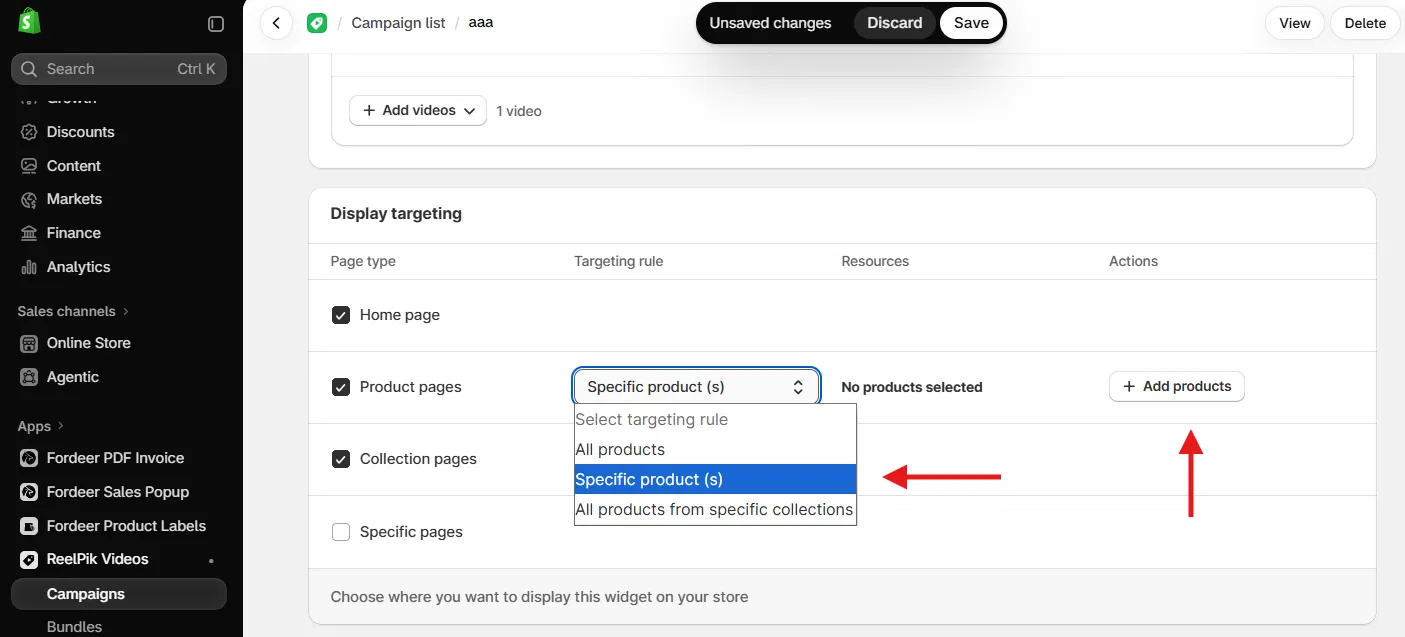
Step 3: Select the variants
-
In the Add products window, search for the product you want.
-
Under the product, tick only the variants you want the videos to show for (for example, Powder).
-
Click Add.
Tip: Ticking the checkbox next to the product name selects all of its variants. A dash (–) in that checkbox means only some variants are selected.
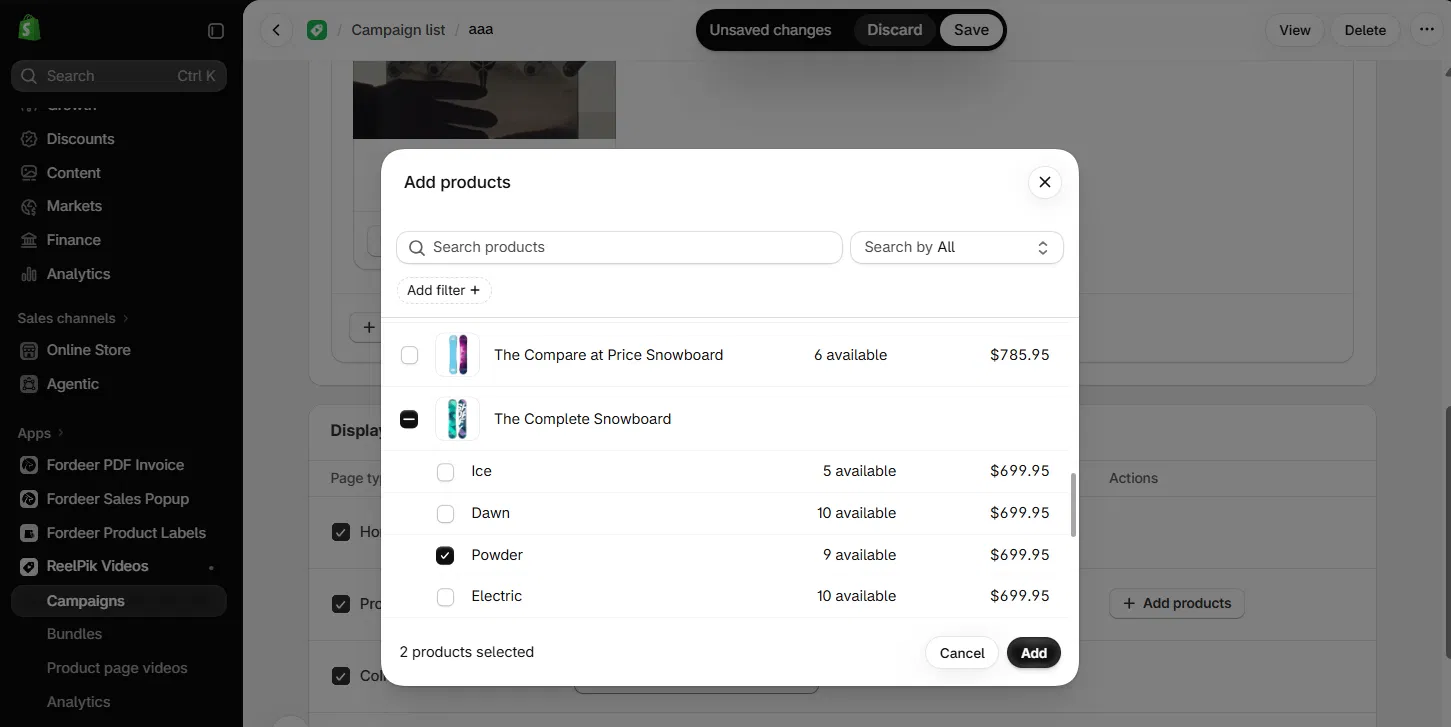
Step 4: Save and check your store
-
Click Save in the top bar.
-
Make sure the campaign Status is Active and the ReelPik app block (or app embed for Floating Reel) is added to your product page template.
-
Open the product on your storefront and switch between variants to check that the videos show only for the variants you selected.
Good to know
-
Unlimit plan only: If you're on Free or Scale, you can select whole products but not individual variants. Go to ReelPik → Pricing to upgrade.
-
One rule per page type: Variant targeting applies to Product pages. Home page and collection page targeting work the same as before.
-
Several campaigns on one product: If more than one campaign matches the same product page, ReelPik uses campaign priority to decide which one to show.
We value your feedback — it helps us continuously improve ReelPik and provide you with a better experience.
🖥️ Demo store: Check out here with password: 1
👉 Install ReelPik: Get ReelPik on the Shopify App Store — free plan available.
👉 Chat with us: Share your feedback directly with our team.
👉 Email us: hi@fordeercommerce.io
👉 Explore more apps: Discover more ForDeer apps.
🕐 Working hours: 8:30 AM – 5:00 PM (UTC+7), Monday–Friday.
We typically reply to live chats within minutes and emails within a few hours.
Need help? Feel free to reach out anytime via live chat or email!